Windows does not connect to a Wi-Fi network by SSID alone. Every connection is driven by a profile — an XML
document that carries the network name, the security policy, and, when 802.1X is used, the full EAP configuration. The
Wi-Fi Framework exposes this model directly: wclWiFiProfilesManager.SetProfile
accepts the same XML that Windows itself uses, and SetProfileEapXmlUserData installs the credentials that the
profile references.
This article is the missing companion to the Wi-Fi Client guide. That guide shows how to call
GetProfile and SetProfile; this one explains what must be inside the XML for the call to succeed —
from the required root elements to the namespace-heavy EAP-TLS, PEAP-MSCHAPv2, and TEAP blocks.
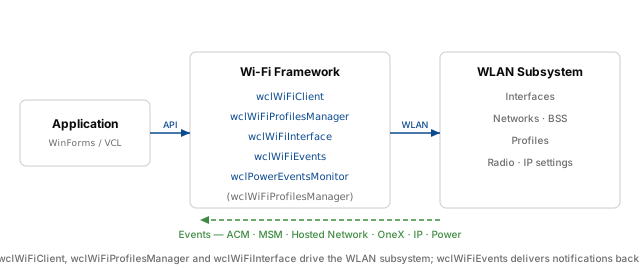
Related topics: Managing WLAN profiles in the Wi-Fi Client guide, Wi-Fi Framework product overview, and Event processing for handling EAP and connection events.
What a WLAN XML profile is
A WLAN XML profile is a document rooted at <WLANProfile> in the namespace
http://www.microsoft.com/networking/WLAN/profile/v1. It is consumed by the WLAN AutoConfig service
(Wlansvc) and is the only supported way to describe a wireless network to Windows programmatically. The same schema
is used by netsh wlan add profile, by WlanSetProfile, and by wclWiFiProfilesManager.SetProfile.
A profile answers four questions:
- Which network? — the SSID (named or hex-encoded) and whether it is an infrastructure (ESS) or ad-hoc (IBSS) network.
- How should Windows connect? — automatically when the network is in range, or only on explicit user request.
- How is the link secured? — open, WPA2-Personal, WPA2-Enterprise, WPA3-Enterprise, and so on, together with the cipher.
- How is the user or machine authenticated? — for enterprise networks, the 802.1X and EAP method, server validation policy, and credential source.
The profile does not contain the user's password or private key. Those are supplied separately — through the Windows logon, a
certificate in the certificate store, a user prompt, or an explicit call to SetProfileEapXmlUserData. Keeping configuration
and credentials separate is the key design decision behind the enterprise sections below.
Profile store and lifecycle
Windows keeps profiles in a per-interface store under %ProgramData%\Microsoft\Wlansvc\Profiles\Interfaces\{GUID}.
Each profile is an XML file named after the profile. The store is managed by WLAN AutoConfig; applications do not write to it directly.
Instead, they call an API that validates the XML and then persists it.
The lifecycle has three states that matter for development:
- Installed — the profile exists in the store.
GetProfileListreturns it, andGetProfilereturns its XML. - Active — Windows is currently using the profile for a connection. This is visible through the ACM and MSM events described in Wi-Fi events.
- Temporary — the profile exists only for the duration of a single
Connectcall and is never written to the store. This is thecmTemporaryProfilemode ofwclWiFiClient.Connect.
Two flags control installation behavior. With Overwrite = false, SetProfile refuses to replace an existing
profile with the same name and returns an error. With Overwrite = true, the existing profile is replaced in place; its
position in the preferred-network list does not change. This is the correct behavior for updating an enterprise profile when the EAP
configuration changes.
Minimal profile structure
The schema enforces element order. The following skeleton is the smallest valid profile for an open network, and it is the base on which every other example in this article is built:
<?xml version="1.0"?>
<WLANProfile xmlns="http://www.microsoft.com/networking/WLAN/profile/v1">
  <name>MyNetwork</name>
  <SSIDConfig>
    <SSID>
      <name>MyNetwork</name>
    </SSID>
  </SSIDConfig>
  <connectionType>ESS</connectionType>
  <connectionMode>auto</connectionMode>
  <MSM>
    <security>
      <authEncryption>
        <authentication>open</authentication>
        <encryption>none</encryption>
        <useOneX>false</useOneX>
      </authEncryption>
    </security>
  </MSM>
</WLANProfile>
The following table separates the required elements from the optional ones. The ordering column reflects the sequence enforced by the schema.
| Element | Required | Order | Notes |
|---|---|---|---|
WLANProfile |
Yes | Root | Must declare the .../WLAN/profile/v1 namespace. |
name |
Yes | 1 | Profile name, 1-255 characters, case-sensitive. Not necessarily equal to the SSID, but usually is. |
SSIDConfig |
Yes | 2 | Contains one or more SSID entries. For a single network, one entry is enough. |
SSID/name or SSID/hex |
Yes (one of them) | — | hex takes precedence if both are present. name is limited to 32 bytes. |
connectionType |
Yes | 3 | ESS for infrastructure, IBSS for ad-hoc. |
connectionMode |
No | 4 | Defaults to auto for ESS. Must be manual for IBSS. |
MSM |
No for open, Yes for secured | 5 | Contains security and, optionally, connectivity. |
security/authEncryption |
Yes inside security |
— | authentication and encryption are required; useOneX is optional but must be
true for enterprise. |
OneX |
Yes for enterprise | After authEncryption |
Declares the .../OneX/v1 namespace. Its EAPConfig child switches to the EapHost namespace. |
Two details are easy to miss. First, SSIDConfig supports up to 256 SSID entries in the v1 namespace, but
the Windows UI and most enterprise deployments use one. Second, the MSM element is technically optional in the schema,
but a secured network without it is not usable; for any profile that uses WPA2, WPA3, or 802.1X, treat MSM/security as
required.
Building a profile step by step
Creating a profile by hand is a five-step process. The order matters because each step constrains the next.
- Collect the network parameters. SSID, security type (WPA2-Enterprise, WPA3-Enterprise, WPA3-Enterprise 192-bit), cipher, and EAP method. If the network is enterprise, also collect the server names or root CA thumbprint and the credential source (certificate store, Windows logon, or explicit username and password).
- Write the outer shell. Root element with the v1 namespace,
name,SSIDConfig,connectionType, andconnectionMode. At this point the XML is valid but does not describe security. - Add the security block.
MSM/security/authEncryptionwithauthentication,encryption, anduseOneX. For enterprise, setuseOneXtotrue; this is the switch that makes Windows look for theOneXelement. - Add the EAP block.
OneX/EAPConfig/EapHostConfigwith the correctEapMethodtype and the method-specific configuration. This is the largest part of an enterprise profile and the subject of the next sections. - Validate before installing. Use
netsh wlan add profileas a syntax gate, then install throughSetProfileand read the profile back withGetProfileto confirm that Windows accepted every element.
On a machine that already connects to the target network, run netsh wlan export profile name="MyNetwork" folder="C:\temp".
The exported XML is the authoritative example for your infrastructure — it contains the exact server validation thumbprints and EAP
options that your RADIUS deployment expects. Adapt that file instead of writing the EAP block from memory.
The XML escape rules apply throughout. An SSID or profile name containing &, <, or > must
be escaped, or encoded as hex. This is a common cause of profiles that import successfully but never match the intended network.
Personal vs Enterprise profiles
The difference between a personal and an enterprise profile is concentrated in one element: authEncryption/useOneX.
When it is false or absent, Windows uses a pre-shared key supplied in security/sharedKey. When it is
true, Windows ignores sharedKey and starts 802.1X, which reads the OneX element.
| Aspect | Personal (PSK) | Enterprise (802.1X) |
|---|---|---|
| Authentication values | WPAPSK, WPA2PSK, WPA3SAE |
WPA, WPA2, WPA3ENT, WPA3ENT192 |
useOneX |
false |
true |
| Key material | security/sharedKey/keyMaterial |
No key in the profile; credentials are separate |
| EAP configuration | Not present | OneX/EAPConfig/EapHostConfig |
| Typical automation API | SetProfile alone |
SetProfile followed by SetProfileEapXmlUserData for explicit credentials |
Everything that follows in the EAP sections applies only when useOneX is true. A profile with an
OneX block but useOneX=false is accepted by the schema and then silently ignored for authentication — a
failure mode that is difficult to diagnose without reading the XML carefully.
EAP Enterprise in detail
Enterprise authentication is expressed as a chain of nested elements. Each level has its own namespace, and a missing namespace is the most common reason a profile is rejected with a generic "invalid profile" error.
WLANProfile
  └─ MSM
       └─ security
            ├─ authEncryption (useOneX = true)
            └─ OneX (xmlns .../OneX/v1)
                 └─ EAPConfig (xmlns .../EapHostConfig)
                      └─ EapHostConfig
                           ├─ EapMethod
                           │    └─ Type (13, 25, or 55)
                           └─ Config
                                └─ method-specific EAP configuration
The OneX element itself is in https://www.microsoft.com/networking/OneX/v1. Its child EAPConfig is
the exception: it is in https://www.microsoft.com/provisioning/EapHostConfig, not in the OneX namespace. Inside
EapHostConfig, the EapMethod and Config elements carry the EapHost namespace, and the method-specific
payload declares a further namespace such as EapTlsConnectionPropertiesV1 or MsPeapConnectionPropertiesV1.
EAP method identifiers
Windows identifies the EAP method by the numeric Type element inside EapMethod. The identifier is defined by
IANA and is the same value that appears in the inner baseEap:Type element of the method configuration.
| Method | Type | Typical use | Credential source |
|---|---|---|---|
| EAP-TLS | 13 |
Certificate-based 802.1X, WPA2 or WPA3-Enterprise 192-bit | Certificate store (machine or user) |
| PEAP | 25 |
Password-based 802.1X with an inner method | Windows logon or explicit username and password |
| MS-CHAPv2 | 26 |
Inner method inside PEAP; not used standalone | Username and password |
| TEAP | 55 |
WPA3-Enterprise tunnelled authentication | EAP-TLS inner methods, machine and user |
For PEAP, the outer Type is 25 and the inner baseEap:Type is 26. For TEAP, the outer Type
is 55, and each inner method is a full EAP-TLS configuration with Type 13. The AuthorId is 0
for Microsoft-defined methods; TEAP profiles typically use 311.
EAP-TLS
EAP-TLS authenticates both the server and the client with certificates. The profile does not contain the certificate; it tells Windows
where to find it and how to validate the server. The following WPA3-Enterprise 192-bit example is the most demanding variant — the same
structure works for WPA2-Enterprise with authentication set to WPA2 and encryption set to
AES.
<?xml version="1.0"?>
<WLANProfile xmlns="http://www.microsoft.com/networking/WLAN/profile/v1">
  <name>WPA3Enterprise192BitMode</name>
  <SSIDConfig>
    <SSID>
      <name>WPA3Enterprise192BitMode</name>
    </SSID>
    <nonBroadcast>false</nonBroadcast>
  </SSIDConfig>
  <connectionType>ESS</connectionType>
  <connectionMode>manual</connectionMode>
  <autoSwitch>false</autoSwitch>
  <MSM>
    <security>
      <authEncryption>
        <authentication>WPA3ENT192</authentication>
        <encryption>GCMP256</encryption>
        <useOneX>true</useOneX>
      </authEncryption>
      <OneX xmlns="http://www.microsoft.com/networking/OneX/v1">
        <authMode>user</authMode>
        <EAPConfig>
          <EapHostConfig xmlns="http://www.microsoft.com/provisioning/EapHostConfig">
            <EapMethod>
              <Type xmlns="http://www.microsoft.com/provisioning/EapCommon">13</Type>
              <VendorId xmlns="http://www.microsoft.com/provisioning/EapCommon">0</VendorId>
              <VendorType xmlns="http://www.microsoft.com/provisioning/EapCommon">0</VendorType>
              <AuthorId xmlns="http://www.microsoft.com/provisioning/EapCommon">0</AuthorId>
            </EapMethod>
            <Config xmlns="http://www.microsoft.com/provisioning/EapHostConfig">
              <Eap xmlns="http://www.microsoft.com/provisioning/BaseEapConnectionPropertiesV1">
                <Type>13</Type>
                <EapType xmlns="http://www.microsoft.com/provisioning/EapTlsConnectionPropertiesV1">
                  <CredentialsSource>
                    <CertificateStore>
                      <SimpleCertSelection>true</SimpleCertSelection>
                    </CertificateStore>
                  </CredentialsSource>
                  <ServerValidation>
                    <DisableUserPromptForServerValidation>false</DisableUserPromptForServerValidation>
                    <ServerNames></ServerNames>
                    <TrustedRootCA>00 11 22 33 44 55 66 77 88 99 aa bb cc dd ee ff 00 11 22 33</TrustedRootCA>
                  </ServerValidation>
                  <DifferentUsername>false</DifferentUsername>
                </EapType>
              </Eap>
            </Config>
          </EapHostConfig>
        </EAPConfig>
      </OneX>
    </security>
  </MSM>
</WLANProfile>
The CredentialsSource/CertificateStore element tells Windows to select a certificate from the current user's
store. For machine authentication, set OneX/authMode to machine; for dual machine-and-user
authentication, use machineOrUser. The SimpleCertSelection flag allows Windows to pick a suitable
certificate automatically. If the certificate subject must match a specific naming pattern, add CertSelection
criteria instead.
The TrustedRootCA value is the SHA-1 thumbprint of the root certificate, written as a space-separated hexadecimal
string. Leaving it empty disables explicit root pinning and relies on the machine's trust store. For WPA3-Enterprise 192-bit,
the certificate requirements are strict: the root and issuing CAs, as well as the client certificate, must meet the 192-bit security
requirements described in the Microsoft WPA3-Enterprise documentation.
PEAP-MSCHAPv2
PEAP-MSCHAPv2 is the most common password-based enterprise method. The profile describes the outer PEAP tunnel and the inner
MS-CHAPv2 method, but it does not contain the password. The complete Microsoft sample is shown below. The user is prompted for
credentials because UseWinLogonCredentials is false.
<?xml version="1.0" encoding="US-ASCII"?>
<WLANProfile xmlns="https://www.microsoft.com/networking/WLAN/profile/v1">
  <name>SampleWPA2EnterprisePEAPMSCHAP</name>
  <SSIDConfig>
    <SSID>
      <name>SampleWPA2EnterprisePEAPMSCHAP</name>
    </SSID>
  </SSIDConfig>
  <connectionType>ESS</connectionType>
  <connectionMode>auto</connectionMode>
  <MSM>
    <security>
      <authEncryption>
        <authentication>WPA2</authentication>
        <encryption>AES</encryption>
        <useOneX>true</useOneX>
      </authEncryption>
      <OneX xmlns="https://www.microsoft.com/networking/OneX/v1">
        <EAPConfig>
          <EapHostConfig xmlns="https://www.microsoft.com/provisioning/EapHostConfig"
                         xmlns:eapCommon="https://www.microsoft.com/provisioning/EapCommon"
                         xmlns:baseEap="https://www.microsoft.com/provisioning/BaseEapMethodConfig">
            <EapMethod>
              <eapCommon:Type>25</eapCommon:Type>
              <eapCommon:AuthorId>0</eapCommon:AuthorId>
            </EapMethod>
            <Config xmlns:baseEap="https://www.microsoft.com/provisioning/BaseEapConnectionPropertiesV1"
                    xmlns:msPeap="https://www.microsoft.com/provisioning/MsPeapConnectionPropertiesV1"
                    xmlns:msChapV2="https://www.microsoft.com/provisioning/MsChapV2ConnectionPropertiesV1">
              <baseEap:Eap>
                <baseEap:Type>25</baseEap:Type>
                <msPeap:EapType>
                  <msPeap:ServerValidation>
                    <msPeap:DisableUserPromptForServerValidation>false</msPeap:DisableUserPromptForServerValidation>
                    <msPeap:TrustedRootCA />
                  </msPeap:ServerValidation>
                  <msPeap:FastReconnect>true</msPeap:FastReconnect>
                  <msPeap:InnerEapOptional>0</msPeap:InnerEapOptional>
                  <baseEap:Eap>
                    <baseEap:Type>26</baseEap:Type>
                    <msChapV2:EapType>
                      <msChapV2:UseWinLogonCredentials>false</msChapV2:UseWinLogonCredentials>
                    </msChapV2:EapType>
                  </baseEap:Eap>
                  <msPeap:EnableQuarantineChecks>false</msPeap:EnableQuarantineChecks>
                  <msPeap:RequireCryptoBinding>false</msPeap:RequireCryptoBinding>
                  <msPeap:PeapExtensions />
                </msPeap:EapType>
              </baseEap:Eap>
            </Config>
          </EapHostConfig>
        </EAPConfig>
      </OneX>
    </security>
  </MSM>
</WLANProfile>
Three settings determine the credential behavior. msChapV2:UseWinLogonCredentials set to true uses
the logged-on Windows identity and does not prompt; this is the right choice for domain-joined machines. Set it to
false to prompt the user. To install a specific username and password without prompting, keep
UseWinLogonCredentials false and call SetProfileEapXmlUserData with an EapHostUserCredentials
document, as shown in Supplying EAP credentials.
The TrustedRootCA element is empty in the Microsoft sample. In a production deployment, populate it with the
thumbprint of the root CA that issued the RADIUS server certificate. Leaving it empty allows Windows to fall back to the machine
trust store and, depending on policy, may still prompt the user to approve an unknown server.
TEAP
TEAP (Tunnel Extensible Authentication Protocol, type 55) is the tunnelled method used by WPA3-Enterprise. Unlike PEAP, TEAP
can run two independent EAP-TLS inner methods — one as the machine and one as the user — inside a single tunnel. The outer
profile is small; the complexity is in the two InnerMethodConfig blocks.
<?xml version="1.0"?>
<WLANProfile xmlns="http://www.microsoft.com/networking/WLAN/profile/v1">
  <name>Wpa3EnterpriseTeap</name>
  <SSIDConfig>
    <SSID>
      <name>Wpa3EnterpriseTeap</name>
    </SSID>
    <nonBroadcast>false</nonBroadcast>
  </SSIDConfig>
  <connectionType>ESS</connectionType>
  <connectionMode>manual</connectionMode>
  <autoSwitch>false</autoSwitch>
  <MSM>
    <security>
      <authEncryption>
        <authentication>WPA3ENT</authentication>
        <encryption>AES</encryption>
        <useOneX>true</useOneX>
      </authEncryption>
      <PMKCacheMode>enabled</PMKCacheMode>
      <PMKCacheTTL>720</PMKCacheTTL>
      <PMKCacheSize>128</PMKCacheSize>
      <preAuthMode>disabled</preAuthMode>
      <OneX xmlns="http://www.microsoft.com/networking/OneX/v1">
        <cacheUserData>true</cacheUserData>
        <authMode>machineOrUser</authMode>
        <EAPConfig>
          <EapHostConfig xmlns="http://www.microsoft.com/provisioning/EapHostConfig">
            <EapMethod>
              <Type xmlns="http://www.microsoft.com/provisioning/EapCommon">55</Type>
              <VendorId xmlns="http://www.microsoft.com/provisioning/EapCommon">0</VendorId>
              <VendorType xmlns="http://www.microsoft.com/provisioning/EapCommon">0</VendorType>
              <AuthorId xmlns="http://www.microsoft.com/provisioning/EapCommon">311</AuthorId>
            </EapMethod>
            <Config xmlns="http://www.microsoft.com/provisioning/EapHostConfig">
              <EapTeap xmlns="http://www.microsoft.com/provisioning/EapTeapConnectionPropertiesV1">
                <ServerValidation>
                  <TrustedRootCAHash>00 11 22 33 44 55 66 77 88 99 aa bb cc dd ee ff 00 11 22 33</TrustedRootCAHash>
                  <DisablePrompt>true</DisablePrompt>
                  <DownloadTrustedServerRoot>false</DownloadTrustedServerRoot>
                </ServerValidation>
                <Phase2Authentication>
                  <InnerMethodConfig>
                    <EapHostConfig xmlns="http://www.microsoft.com/provisioning/EapHostConfig">
                      <EapMethod>
                        <Type xmlns="http://www.microsoft.com/provisioning/EapCommon">13</Type>
                        <VendorId xmlns="http://www.microsoft.com/provisioning/EapCommon">0</VendorId>
                        <VendorType xmlns="http://www.microsoft.com/provisioning/EapCommon">0</VendorType>
                        <AuthorId xmlns="http://www.microsoft.com/provisioning/EapCommon">0</AuthorId>
                      </EapMethod>
                      <Config xmlns="http://www.microsoft.com/provisioning/EapHostConfig">
                        <Eap xmlns="http://www.microsoft.com/provisioning/BaseEapConnectionPropertiesV1">
                          <Type>13</Type>
                          <EapType xmlns="http://www.microsoft.com/provisioning/EapTlsConnectionPropertiesV1">
                            <CredentialsSource>
                              <CertificateStore>
                                <SimpleCertSelection>true</SimpleCertSelection>
                              </CertificateStore>
                            </CredentialsSource>
                            <ServerValidation>
                              <DisableUserPromptForServerValidation>false</DisableUserPromptForServerValidation>
                              <ServerNames></ServerNames>
                            </ServerValidation>
                            <DifferentUsername>false</DifferentUsername>
                          </EapType>
                        </Eap>
                      </Config>
                    </EapHostConfig>
                  </InnerMethodConfig>
                  <InnerMethodConfig>
                    <EapHostConfig xmlns="http://www.microsoft.com/provisioning/EapHostConfig">
                      <EapMethod>
                        <Type xmlns="http://www.microsoft.com/provisioning/EapCommon">13</Type>
                        <VendorId xmlns="http://www.microsoft.com/provisioning/EapCommon">0</VendorId>
                        <VendorType xmlns="http://www.microsoft.com/provisioning/EapCommon">0</VendorType>
                        <AuthorId xmlns="http://www.microsoft.com/provisioning/EapCommon">0</AuthorId>
                      </EapMethod>
                      <Config xmlns="http://www.microsoft.com/provisioning/EapHostConfig">
                        <Eap xmlns="http://www.microsoft.com/provisioning/BaseEapConnectionPropertiesV1">
                          <Type>13</Type>
                          <EapType xmlns="http://www.microsoft.com/provisioning/EapTlsConnectionPropertiesV1">
                            <CredentialsSource>
                              <CertificateStore>
                                <SimpleCertSelection>true</SimpleCertSelection>
                              </CertificateStore>
                            </CredentialsSource>
                            <ServerValidation>
                              <DisableUserPromptForServerValidation>false</DisableUserPromptForServerValidation>
                              <ServerNames></ServerNames>
                            </ServerValidation>
                            <DifferentUsername>false</DifferentUsername>
                          </EapType>
                        </Eap>
                      </Config>
                    </EapHostConfig>
                  </InnerMethodConfig>
                </Phase2Authentication>
              </EapTeap>
            </Config>
          </EapHostConfig>
        </EAPConfig>
      </OneX>
    </security>
  </MSM>
</WLANProfile>
The first InnerMethodConfig runs as the machine; the second runs as the user. The authMode value
machineOrUser allows both phases to complete. TrustedRootCAHash is the TEAP equivalent of
TrustedRootCA and uses the same thumbprint format. If the server certificate is issued by a CA that is not in
the machine trust store, set DownloadTrustedServerRoot to true or install the root certificate
before connecting.
WPA3-Enterprise 192-bit mode
WPA3-Enterprise 192-bit mode is a stricter variant of WPA3-Enterprise. In the profile it changes two values:
authentication becomes WPA3ENT192 and encryption becomes GCMP256. The
EAP method is still EAP-TLS (type 13), but the certificate requirements are much stronger. All certificates in the chain — root,
intermediate, and client — must meet the 192-bit security level. Microsoft documents these requirements separately; a profile that
uses the correct XML but certificates that do not meet the requirements will fail during the TLS handshake, not during profile
import.
The earlier EAP-TLS example is already a WPA3-Enterprise 192-bit profile. To convert it to WPA2-Enterprise,
change authentication to WPA2 and encryption to AES; the EAP block stays the same.
Server validation
Server validation is the element that most often separates a working enterprise deployment from a profile that connects but prompts the user on every attempt. The two controls are:
- Trusted root pinning.
TrustedRootCA(EAP-TLS, PEAP) orTrustedRootCAHash(TEAP) contains the SHA-1 thumbprint of the root CA. When it is set, Windows only accepts a server certificate that chains to that root. - Server name validation.
ServerNamescontains one or more DNS suffixes that the server certificate must match. When it is empty, name validation is not enforced.
DisableUserPromptForServerValidation controls what happens when validation fails. When it is false, the user
can approve an untrusted server interactively. When it is true, the connection is refused. For unattended kiosks, set it
to true and configure both the trusted root and the server names; otherwise a network outage or a certificate change will
produce a prompt that no one is present to answer.
For TEAP, DisablePrompt is the equivalent control. The TEAP schema also exposes DownloadTrustedServerRoot,
which allows Windows to retrieve the root certificate from the server. This is convenient for bootstrapping but should not be enabled
in production, where the root should be installed through policy.
Credentials vs configuration
A WLAN profile is a configuration document, not a secret store. This distinction is enforced by the API surface: SetProfile
installs the profile, and SetProfileEapXmlUserData installs the credentials that the profile references. For certificate-based
methods, the credential is the certificate in the certificate store; for password-based methods, it is the username and password.
| Method | What the profile configures | Where the credential comes from |
|---|---|---|
| EAP-TLS | Certificate store, server validation | Windows certificate store (machine or user) |
PEAP-MSCHAPv2, UseWinLogonCredentials=true |
Windows logon as credential source | Current Windows identity |
PEAP-MSCHAPv2, UseWinLogonCredentials=false |
Prompt the user, or accept credentials installed separately | SetProfileEapXmlUserData or interactive prompt |
| TEAP | Two EAP-TLS inner methods | Certificate store for each inner method |
SetProfileEapXmlUserData takes the interface ID, the profile name, an AllUsers flag, and an
EapHostUserCredentials XML document. The AllUsers flag is available on Windows 7 and later; when
it is true, the credentials apply to every user of the profile, not just the caller. On Windows 7, setting
AllUsers to true requires administrative privileges.
For PEAP-MSCHAPv2, the credential document is compact:
<?xml version="1.0" ?>
<EapHostUserCredentials
    xmlns="http://www.microsoft.com/provisioning/EapHostUserCredentials"
    xmlns:eapCommon="http://www.microsoft.com/provisioning/EapCommon"
    xmlns:baseEap="http://www.microsoft.com/provisioning/BaseEapMethodUserCredentials">
  <EapMethod>
    <eapCommon:Type>25</eapCommon:Type>
    <eapCommon:AuthorId>0</eapCommon:AuthorId>
  </EapMethod>
  <Credentials
      xmlns:eapUser="http://www.microsoft.com/provisioning/EapUserPropertiesV1"
      xmlns:xsi="http://www.w3.org/2001/XMLSchema-instance"
      xmlns:baseEap="http://www.microsoft.com/provisioning/BaseEapUserPropertiesV1"
      xmlns:MsPeap="http://www.microsoft.com/provisioning/MsPeapUserPropertiesV1"
      xmlns:MsChapV2="http://www.microsoft.com/provisioning/MsChapV2UserPropertiesV1">
    <baseEap:Eap>
      <baseEap:Type>25</baseEap:Type>
      <MsPeap:EapType>
        <MsPeap:RoutingIdentity>test</MsPeap:RoutingIdentity>
        <baseEap:Eap>
          <baseEap:Type>26</baseEap:Type>
          <MsChapV2:EapType>
            <MsChapV2:Username>test</MsChapV2:Username>
            <MsChapV2:Password>test</MsChapV2:Password>
            <MsChapV2:LogonDomain>ias-domain</MsChapV2:LogonDomain>
          </MsChapV2:EapType>
        </baseEap:Eap>
      </MsPeap:EapType>
    </baseEap:Eap>
  </Credentials>
</EapHostUserCredentials>
The RoutingIdentity is the outer identity sent in the clear during the PEAP negotiation; it can be a generic value
or the user's domain-qualified identity. The Username, Password, and LogonDomain are the
inner MS-CHAPv2 credentials. The password is stored by WLAN AutoConfig in a protected form; it is not written into the
profile XML.
Do not confuse the two XML documents. The WLAN profile uses WLANProfile as its root. The
credential document uses EapHostUserCredentials as its root. They are passed to different methods: SetProfile
for the former, SetProfileEapXmlUserData for the latter.
Practical scenarios
The following examples use the wclWiFiProfilesManager class from the Wi-Fi Framework.
The manager is opened together with the client, as described in Opening the client.
Installing a profile
The XML can come from a file, from a resource, or from a string built in code. SetProfile takes the interface ID,
profile flags, the XML string, and the overwrite flag. Passing Overwrite = true makes the call idempotent, which is
the right choice for provisioning and updates.
procedure TfmMain.InstallProfile(const Id: TGUID; const FileName: string);
var
  List: TStringList;
  Xml: string;
  Flags: TwclWiFiProfileFlags;
begin
  List := TStringList.Create;
  try
    List.LoadFromFile(FileName);
    Xml := List.Text;

    Flags := [];
    ShowResult(wclWiFiProfilesManager.SetProfile(Id, Flags, Xml, True));
  finally
    List.Free;
  end;
end;
void TfmMain::InstallProfile(const TGUID Id, const String FileName)
{
TStringList* List = new TStringList();
__try
{
List->LoadFromFile(FileName);
String Xml = List->Text;
TwclWiFiProfileFlags Flags;
Flags.Clear();
ShowResult(wclWiFiProfilesManager->SetProfile(Id, Flags, Xml, true));
}
__finally
{
List->Free();
}
}private void InstallProfile(Guid Id, String FileName)
{
String Xml = System.IO.File.ReadAllText(FileName);
ShowResult(ProfilesManager.SetProfile(Id, 0, Xml, true));
}Private Sub InstallProfile(ByVal Id As Guid, ByVal FileName As String)
Dim Xml As String = System.IO.File.ReadAllText(FileName)
ShowResult(ProfilesManager.SetProfile(Id, 0, Xml, True))
End Subvoid CWiFiClientDlg::InstallProfile(const GUID& Id, const CString& FileName)
{
CStdioFile File;
if (!File.Open(FileName, CFile::modeRead | CFile::typeText))
return;
CString Xml;
CString Line;
while (File.ReadString(Line))
Xml += Line;
ShowResult(wclWiFiProfilesManager.SetProfile(Id, wclWiFiProfileFlags(), tstring(Xml), true));
}If the profile already exists and Overwrite is false, the call returns an error. This is useful as an
existence check: a successful SetProfile with Overwrite=false proves that the profile was not previously
present.
Supplying EAP credentials
For PEAP-MSCHAPv2 with explicit credentials, install the profile first, then call SetProfileEapXmlUserData. The profile
must already exist, and the profile name in the credential call must match the name element of the profile exactly — profile
names are case-sensitive.
procedure TfmMain.InstallPeapCredentials(const Id: TGUID;
  const ProfileName, UserName, Password, Domain: string);
var
  CredXml: string;
begin
  CredXml :=
    '<?xml version="1.0" ?>' +
    '<EapHostUserCredentials ' +
      'xmlns="http://www.microsoft.com/provisioning/EapHostUserCredentials" ' +
      'xmlns:eapCommon="http://www.microsoft.com/provisioning/EapCommon" ' +
      'xmlns:baseEap="http://www.microsoft.com/provisioning/BaseEapMethodUserCredentials">' +
      '<EapMethod>' +
        '<eapCommon:Type>25</eapCommon:Type>' +
        '<eapCommon:AuthorId>0</eapCommon:AuthorId>' +
      '</EapMethod>' +
      '<Credentials ' +
        'xmlns:baseEap="http://www.microsoft.com/provisioning/BaseEapUserPropertiesV1" ' +
        'xmlns:MsPeap="http://www.microsoft.com/provisioning/MsPeapUserPropertiesV1" ' +
        'xmlns:MsChapV2="http://www.microsoft.com/provisioning/MsChapV2UserPropertiesV1">' +
        '<baseEap:Eap>' +
          '<baseEap:Type>25</baseEap:Type>' +
          '<MsPeap:EapType>' +
            '<baseEap:Eap>' +
              '<baseEap:Type>26</baseEap:Type>' +
              '<MsChapV2:EapType>' +
                '<MsChapV2:Username>' + UserName + '</MsChapV2:Username>' +
                '<MsChapV2:Password>' + Password + '</MsChapV2:Password>' +
                '<MsChapV2:LogonDomain>' + Domain + '</MsChapV2:LogonDomain>' +
              '</MsChapV2:EapType>' +
            '</baseEap:Eap>' +
          '</MsPeap:EapType>' +
        '</baseEap:Eap>' +
      '</Credentials>' +
    '</EapHostUserCredentials>';

  ShowResult(wclWiFiProfilesManager.SetProfileEapXmlUserData(
    Id, ProfileName, False, CredXml));
end;
void TfmMain::InstallPeapCredentials(const TGUID Id,
const String ProfileName, const String UserName,
const String Password, const String Domain)
{
String CredXml =
"<?xml version=\"1.0\" ?>"
"<EapHostUserCredentials "
"xmlns=\"http://www.microsoft.com/provisioning/EapHostUserCredentials\" "
"xmlns:eapCommon=\"http://www.microsoft.com/provisioning/EapCommon\" "
"xmlns:baseEap=\"http://www.microsoft.com/provisioning/BaseEapMethodUserCredentials\">"
"<EapMethod>"
"<eapCommon:Type>25</eapCommon:Type>"
"<eapCommon:AuthorId>0</eapCommon:AuthorId>"
"</EapMethod>"
"<Credentials "
"xmlns:baseEap=\"http://www.microsoft.com/provisioning/BaseEapUserPropertiesV1\" "
"xmlns:MsPeap=\"http://www.microsoft.com/provisioning/MsPeapUserPropertiesV1\" "
"xmlns:MsChapV2=\"http://www.microsoft.com/provisioning/MsChapV2UserPropertiesV1\">"
"<baseEap:Eap>"
"<baseEap:Type>25</baseEap:Type>"
"<MsPeap:EapType>"
"<baseEap:Eap>"
"<baseEap:Type>26</baseEap:Type>"
"<MsChapV2:EapType>"
"<MsChapV2:Username>" + UserName + "</MsChapV2:Username>"
"<MsChapV2:Password>" + Password + "</MsChapV2:Password>"
"<MsChapV2:LogonDomain>" + Domain + "</MsChapV2:LogonDomain>"
"</MsChapV2:EapType>"
"</baseEap:Eap>"
"</MsPeap:EapType>"
"</baseEap:Eap>"
"</Credentials>"
"</EapHostUserCredentials>";
ShowResult(wclWiFiProfilesManager->SetProfileEapXmlUserData(
Id, ProfileName, false, CredXml));
}private void InstallPeapCredentials(Guid Id, String ProfileName,
String UserName, String Password, String Domain)
{
String CredXml =
"<?xml version=\"1.0\" ?>" +
"<EapHostUserCredentials " +
"xmlns=\"http://www.microsoft.com/provisioning/EapHostUserCredentials\" " +
"xmlns:eapCommon=\"http://www.microsoft.com/provisioning/EapCommon\" " +
"xmlns:baseEap=\"http://www.microsoft.com/provisioning/BaseEapMethodUserCredentials\">" +
"<EapMethod>" +
"<eapCommon:Type>25</eapCommon:Type>" +
"<eapCommon:AuthorId>0</eapCommon:AuthorId>" +
"</EapMethod>" +
"<Credentials " +
"xmlns:baseEap=\"http://www.microsoft.com/provisioning/BaseEapUserPropertiesV1\" " +
"xmlns:MsPeap=\"http://www.microsoft.com/provisioning/MsPeapUserPropertiesV1\" " +
"xmlns:MsChapV2=\"http://www.microsoft.com/provisioning/MsChapV2UserPropertiesV1\">" +
"<baseEap:Eap>" +
"<baseEap:Type>25</baseEap:Type>" +
"<MsPeap:EapType>" +
"<baseEap:Eap>" +
"<baseEap:Type>26</baseEap:Type>" +
"<MsChapV2:EapType>" +
"<MsChapV2:Username>" + UserName + "</MsChapV2:Username>" +
"<MsChapV2:Password>" + Password + "</MsChapV2:Password>" +
"<MsChapV2:LogonDomain>" + Domain + "</MsChapV2:LogonDomain>" +
"</MsChapV2:EapType>" +
"</baseEap:Eap>" +
"</MsPeap:EapType>" +
"</baseEap:Eap>" +
"</Credentials>" +
"</EapHostUserCredentials>";
ShowResult(ProfilesManager.SetProfileEapXmlUserData(
Id, ProfileName, false, CredXml));
}Private Sub InstallPeapCredentials(ByVal Id As Guid, ByVal ProfileName As String,
ByVal UserName As String, ByVal Password As String, ByVal Domain As String)
Dim CredXml As String =
"<?xml version=""1.0"" ?>" &
"<EapHostUserCredentials " &
"xmlns=""http://www.microsoft.com/provisioning/EapHostUserCredentials"" " &
"xmlns:eapCommon=""http://www.microsoft.com/provisioning/EapCommon"" " &
"xmlns:baseEap=""http://www.microsoft.com/provisioning/BaseEapMethodUserCredentials"">" &
"<EapMethod>" &
"<eapCommon:Type>25</eapCommon:Type>" &
"<eapCommon:AuthorId>0</eapCommon:AuthorId>" &
"</EapMethod>" &
"<Credentials " &
"xmlns:baseEap=""http://www.microsoft.com/provisioning/BaseEapUserPropertiesV1"" " &
"xmlns:MsPeap=""http://www.microsoft.com/provisioning/MsPeapUserPropertiesV1"" " &
"xmlns:MsChapV2=""http://www.microsoft.com/provisioning/MsChapV2UserPropertiesV1"">" &
"<baseEap:Eap>" &
"<baseEap:Type>25</baseEap:Type>" &
"<MsPeap:EapType>" &
"<baseEap:Eap>" &
"<baseEap:Type>26</baseEap:Type>" &
"<MsChapV2:EapType>" &
"<MsChapV2:Username>" & UserName & "</MsChapV2:Username>" &
"<MsChapV2:Password>" & Password & "</MsChapV2:Password>" &
"<MsChapV2:LogonDomain>" & Domain & "</MsChapV2:LogonDomain>" &
"</MsChapV2:EapType>" &
"</baseEap:Eap>" &
"</MsPeap:EapType>" &
"</baseEap:Eap>" &
"</Credentials>" &
"</EapHostUserCredentials>"
ShowResult(ProfilesManager.SetProfileEapXmlUserData(Id, ProfileName, False, CredXml))
End Subvoid CWiFiClientDlg::InstallPeapCredentials(const GUID& Id,
const CString& ProfileName, const CString& UserName,
const CString& Password, const CString& Domain)
{
CString CredXml;
CredXml.Format(
_T("<?xml version=\"1.0\" ?>")
_T("<EapHostUserCredentials ")
_T("xmlns=\"http://www.microsoft.com/provisioning/EapHostUserCredentials\" ")
_T("xmlns:eapCommon=\"http://www.microsoft.com/provisioning/EapCommon\" ")
_T("xmlns:baseEap=\"http://www.microsoft.com/provisioning/BaseEapMethodUserCredentials\">")
_T("<EapMethod>")
_T("<eapCommon:Type>25</eapCommon:Type>")
_T("<eapCommon:AuthorId>0</eapCommon:AuthorId>")
_T("</EapMethod>")
_T("<Credentials ")
_T("xmlns:baseEap=\"http://www.microsoft.com/provisioning/BaseEapUserPropertiesV1\" ")
_T("xmlns:MsPeap=\"http://www.microsoft.com/provisioning/MsPeapUserPropertiesV1\" ")
_T("xmlns:MsChapV2=\"http://www.microsoft.com/provisioning/MsChapV2UserPropertiesV1\">")
_T("<baseEap:Eap>")
_T("<baseEap:Type>25</baseEap:Type>")
_T("<MsPeap:EapType>")
_T("<baseEap:Eap>")
_T("<baseEap:Type>26</baseEap:Type>")
_T("<MsChapV2:EapType>")
_T("<MsChapV2:Username>%s</MsChapV2:Username>")
_T("<MsChapV2:Password>%s</MsChapV2:Password>")
_T("<MsChapV2:LogonDomain>%s</MsChapV2:LogonDomain>")
_T("</MsChapV2:EapType>")
_T("</baseEap:Eap>")
_T("</MsPeap:EapType>")
_T("</baseEap:Eap>")
_T("</Credentials>")
_T("</EapHostUserCredentials>"),
UserName, Password, Domain);
ShowResult(wclWiFiProfilesManager.SetProfileEapXmlUserData(
Id, tstring(ProfileName), false, tstring(CredXml)));
}If the profile uses UseWinLogonCredentials=true, calling SetProfileEapXmlUserData is
unnecessary. The two approaches are mutually exclusive for a given profile.
Temporary profiles
A temporary profile is never written to the store. It is passed directly to Connect with the
cmTemporaryProfile mode and is discarded when the connection ends. This is the correct approach for a
kiosk or a one-time provisioning flow where leaving a persistent profile behind is undesirable.
procedure TfmMain.ConnectTemporary(const Id: TGUID; const Xml: string);
begin
  ShowResult(wclWiFiClient.Connect(Id, cmTemporaryProfile, '', '', bssAny, [], Xml));
end;
void TfmMain::ConnectTemporary(const TGUID Id, const String Xml)
{
ShowResult(wclWiFiClient->Connect(Id, cmTemporaryProfile, "", "", bssAny,
TwclWiFiConnectFlags(), Xml));
}private void ConnectTemporary(Guid Id, String Xml)
{
ShowResult(Client.Connect(Id, wclWiFiConnectionMode.cmTemporaryProfile,
"", "", wclWiFiBssType.bssAny, 0, Xml));
}Private Sub ConnectTemporary(ByVal Id As Guid, ByVal Xml As String)
ShowResult(Client.Connect(Id, wclWiFi.wclWiFiConnectionMode.cmTemporaryProfile,
"", "", wclWiFi.wclWiFiBssType.bssAny, 0, Xml))
End Subvoid CWiFiClientDlg::ConnectTemporary(const GUID& Id, const CString& Xml)
{
ShowResult(wclWiFiClient.Connect(Id, cmTemporaryProfile, _T(""), _T(""),
bssAny, wclWiFiConnectFlags(), tstring(Xml)));
}The Connect signature in cmTemporaryProfile mode accepts the XML in the profile-name
argument position. The SSID and BSS type arguments are ignored because the XML already contains them. For an enterprise
temporary profile, the credentials must already be available through the certificate store, the Windows logon, or a prior
SetProfileEapXmlUserData call — a temporary profile cannot install credentials itself.
Reading and modifying an existing profile
The safest way to modify an enterprise profile is to read it, change the specific element, and write it back with
Overwrite=true. This preserves all the settings that the application does not intend to change — server
validation thumbprints, fast-reconnect flags, and vendor extensions.
procedure TfmMain.RoundTripProfile(const Id: TGUID; const ProfileName: string);
var
  Flags: TwclWiFiProfileFlags;
  Xml: string;
begin
  Flags := [];
  if ShowResult(wclWiFiProfilesManager.GetProfile(Id, ProfileName, Flags, Xml)) then
  begin
    // Modify the XML here, for example replace the EAP method type.
    ShowResult(wclWiFiProfilesManager.SetProfile(Id, [], Xml, True));
  end;
end;
void TfmMain::RoundTripProfile(const TGUID Id, const String ProfileName)
{
TwclWiFiProfileFlags Flags;
Flags.Clear();
String Xml;
if (ShowResult(wclWiFiProfilesManager->GetProfile(Id, ProfileName, Flags, Xml)))
{
// Modify the XML here.
ShowResult(wclWiFiProfilesManager->SetProfile(Id, TwclWiFiProfileFlags(), Xml, true));
}
}private void RoundTripProfile(Guid Id, String ProfileName)
{
String Xml;
wclWiFiProfileFlag Flags = 0;
if (ShowResult(ProfilesManager.GetProfile(Id, ProfileName, ref Flags, out Xml)))
{
// Modify the XML here.
ShowResult(ProfilesManager.SetProfile(Id, 0, Xml, true));
}
}Private Sub RoundTripProfile(ByVal Id As Guid, ByVal ProfileName As String)
Dim Xml As String
Dim Flags As wclWiFi.wclWiFiProfileFlag = 0
If ShowResult(ProfilesManager.GetProfile(Id, ProfileName, Flags, Xml)) Then
' Modify the XML here.
ShowResult(ProfilesManager.SetProfile(Id, 0, Xml, True))
End If
End Subvoid CWiFiClientDlg::RoundTripProfile(const GUID& Id, const CString& ProfileName)
{
wclWiFiProfileFlags Flags;
tstring Xml;
if (ShowResult(wclWiFiProfilesManager.GetProfile(Id, tstring(ProfileName), Flags, Xml)))
{
// Modify the XML here.
ShowResult(wclWiFiProfilesManager.SetProfile(Id, wclWiFiProfileFlags(), Xml, true));
}
}After the round trip, read the profile again and compare it with the input. Windows sometimes normalizes the XML — it may reorder elements or drop unknown extension elements. A comparison reveals whether the changes were actually persisted.
Validation and debugging
Profile problems fall into two categories: schema errors and semantic errors. Schema errors are rejected at install time; semantic errors allow the profile to be installed but cause connection or authentication failures.
Schema validation
The fastest syntax gate is netsh wlan add profile. It parses the XML with the same schema that Windows uses and
returns an error that identifies the offending element or attribute. If netsh accepts the file, SetProfile will
accept it as well, assuming the interface exists and the overwrite flag is set correctly.
netsh wlan add profile filename="C:\temp\WPA2Enterprise.xml" interface="Wi-Fi" user=allSemantic validation
Semantic errors are not visible until a connection is attempted. The most useful diagnostic is the OneX event stream from
wclWiFiEvents. OnOneXAuthUpdate carries the 802.1X state, the EAP method, the identity, and — when
the method fails — the EAP error details, including the root cause string and the repair hint. OnOneXAuthRestarted
indicates that the authenticator restarted the exchange, which often accompanies a certificate or credential mismatch.
The ACM and MSM events provide the connection-level context. OnAcmConnectionComplete reports whether the connection
succeeded or failed at the manager level; OnMsmConnected and OnMsmDisconnected report the link state;
OnMsmLinkDegraded and OnMsmLinkImproved are useful when the profile connects but the link is unstable
because of a cipher or band mismatch.
Common failure patterns
| Symptom | Likely cause | Fix |
|---|---|---|
| Profile rejected with "invalid profile" | Missing or wrong namespace on EapHostConfig or the inner EAP element |
Check the namespace declarations on every level of the EAP chain. |
| Profile installs but never connects | useOneX is false or absent |
Set useOneX to true in authEncryption. |
| EAP method not recognized | Wrong numeric Type |
Use 13 for EAP-TLS, 25 for PEAP, 55 for TEAP. |
| Connection prompts for server approval every time | Empty TrustedRootCA or ServerNames |
Populate the root thumbprint and the expected DNS suffix. |
PEAP prompts for credentials despite SetProfileEapXmlUserData |
Profile name mismatch, or UseWinLogonCredentials still true |
Match the profile name exactly; set UseWinLogonCredentials to false. |
| WPA3-192 fails during TLS handshake | Certificates do not meet 192-bit requirements | Replace the certificate chain with one that complies with the WPA3-192 profile. |
Enterprise profile checklist
Before installing an enterprise profile, verify each item. The list is ordered from the outer shell to the credential layer.
- The root
WLANProfiledeclareshttp://www.microsoft.com/networking/WLAN/profile/v1. name,SSIDConfig/SSID/name(orhex), andconnectionTypeare present.connectionModeisautofor unattended provisioning andmanualfor user-initiated connections.MSM/security/authEncryptioncontainsauthentication,encryption, anduseOneX=true.- The
OneXelement declareshttp://www.microsoft.com/networking/OneX/v1. EAPConfig/EapHostConfigdeclareshttp://www.microsoft.com/provisioning/EapHostConfig.EapMethod/Typeis 13, 25, or 55, matching the intended method.- For EAP-TLS,
EapTlsConnectionPropertiesV1has aCredentialsSource/CertificateStore. - For PEAP, the inner
baseEap:Typeis 26 andMsChapV2is configured. - For TEAP, both
InnerMethodConfigblocks are present andauthModeismachineOrUser. ServerValidationhas a trusted root thumbprint and, for unattended setups,DisableUserPromptForServerValidation=true.- Credentials are available through the certificate store, Windows logon, or
SetProfileEapXmlUserData. - The profile installs through
netshand reads back throughGetProfilewithout unexpected normalization.
Frequently asked questions
- What is a WLAN XML profile?
- A WLAN XML profile is an XML document that tells Windows how to connect to a wireless network. It contains the SSID, the security and authentication settings, the connection mode, and, for enterprise networks, the complete 802.1X and EAP configuration. Windows stores profiles in its profile store and uses them whenever a matching network is in range.
- Which elements are required in a WLAN XML profile?
- The root
WLANProfileelement, thenameelement, at least oneSSIDConfigwith an SSIDnameorhexvalue, andconnectionTypeare required.connectionModeis optional and defaults toautofor ESS networks. For any network that uses 802.1X,MSM/security/authEncryptionand aOneX/EAPConfigblock are also required. - How do I create an EAP-TLS enterprise profile?
- Set
authenticationtoWPA2orWPA3ENT192,encryptiontoAESorGCMP256, anduseOneXtotrue. InsideOneX/EAPConfig/EapHostConfig, set the EAP method type to 13 and configureEapTlsConnectionPropertiesV1with aCredentialsSource/CertificateStoreand aServerValidationblock. The certificate itself must already be in the Windows certificate store. - Does SetProfile store the username and password for PEAP-MSCHAPv2?
- No.
SetProfilestores the profile configuration only. For PEAP-MSCHAPv2, the profile controls whether credentials come from the Windows logon or are prompted. To install a specific username and password programmatically, callSetProfileEapXmlUserDataafterSetProfileand pass anEapHostUserCredentialsXML document. - Why does my enterprise profile fail with an EAP method error?
- The most common causes are a wrong EAP method type, a missing or incorrect namespace on
EapHostConfigor the inner EAP element, a missing server validation block, or absent user credentials. Check the EAP method identifiers: 13 for EAP-TLS, 25 for PEAP, 26 for MS-CHAPv2, and 55 for TEAP. Subscribe towclWiFiEvents.OnOneXAuthUpdateto see the exact EAP failure reason.