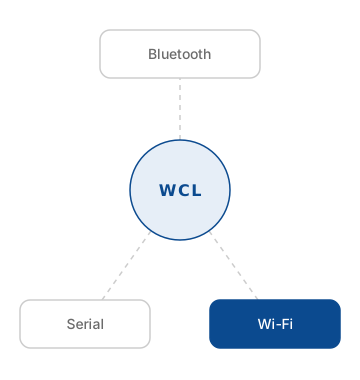
The Wi-Fi Framework is the Software Developer Kit (SDK) that provides easy access to the Wi-Fi features on Windows platforms. It supports native Wi-Fi and Wi-Fi Direct technologies, allows capturing (sniffing) raw Wi-Fi packets. The Framework is a part of the Wireless Communication Library but can be used as a standalone library. The Wi-Fi Framework is available in three editions:
- .NET Edition is a .NET assembly written in C# that can be used with Microsoft .NET, Python, and Unity.
- C++ Edition is a static C++ library written in C++ and can be used with Microsoft Visual Studio or other compatible compilers.
- VCL Edition is a collection of VCL components written in Delphi that can be used with Embarcadero RAD Studio (Delphi and CBuilder) and Lazarus/FreePascal.
Wi-Fi Framework Benefits
The Wi-Fi Framework is a good solution for adding Wi-Fi and Wi-Fi Direct support into your applications primarily because it offers a simplified, high-level, and feature-rich abstraction over the complex and fragmented native Windows APIs. You should use this framework instead of the native Windows APIs for the following reasons:
Simplified Development and Reduced Complexity
The primary advantage is ease of use. The native Windows APIs for standard Wi-Fi and specific Win32 Wi-Fi Direct functions, or the WinRT classes for modern apps are lower-level and often require significant, intricate coding to perform basic tasks.
- Higher-Level Abstraction: The framework provides a streamlined, consistent interface that handles much of the underlying complexity, allowing developers to implement features like network scanning, connection management, and profile handling with fewer lines of code.
- Language Versatility: The commercial framework likely offers editions for C++, .NET, VCL/Delphi, and FPC/Lazarus, providing flexibility for different development environments. Native Windows APIs are primarily C/C++ based, and WinRT APIs are specific to UWP-compatible languages.
Expanded and Specialized Functionality
The Wi-Fi Framework offers capabilities that are either difficult to access or entirely absent in the standard native APIs:
- Raw Packet Capture (Sniffing): This is a key feature for applications requiring deep network diagnostics, security monitoring, or analysis tools. Implementing this with native APIs usually involves complex driver-level programming or reliance on third-party drivers.
- Integrated Wi-Fi Direct Management: While Windows provides both Native Wi-Fi Direct functions and WinRT APIs for Wi-Fi Direct, managing all possible connection modes (legacy SoftAP mode, standard P2P, etc.) across different OS versions and hardware can be challenging. The framework offers a unified class (wclWiFiSoftAp) to manage these modes with more control, such as accepting or rejecting connection requests, which may be more complex with native interfaces.
- Consistent Event Handling: The framework provides a robust, event-driven architecture for handling all WLAN events, simplifying real-time monitoring and interaction.
Desktop Application Compatibility and Deployment
The choice between the framework, Native API, and WinRT API often comes down to the application type and deployment model:
- Desktop App Focus: The Wi-Fi Framework is designed for classic desktop applications (Win32), avoiding the limitations and "sandboxing" model of the Universal Windows Platform (UWP) apps that use the WinRT APIs. Classic desktop apps generally have broader system access and do not require specific app manifest declarations like the wiFiControl capability needed for WinRT APIs.
- Vendor Support and Maintenance: As a commercial solution, using the framework offloads the burden of tracking changes in Windows APIs, handling edge cases, and ensuring compatibility across various Windows versions to a third-party vendor with professional support.
The Wi-Fi Framework is a developer-friendly, commercially supported solution that combines standard Wi-Fi and Wi-Fi Direct support into a simplified API, making it an excellent choice for complex desktop applications that require advanced network control, raw data access, and faster time-to-market.
FEATURES
Wi-Fi Framework features
BASIC FEATURES
|
WI-FI FEATURES
|
WI-FI DIRECT FEATURES
|
WI-FI SNIFFER FEATURES
|
NETWORK MONITOR FEATURES
|
DRONE REMOTE ID FEATURES |
Download
Download Wi-Fi Framework demo version
Demo version limitations
- The "Unregistered version" warning dialog appears when you start an application that uses the Wi-Fi Framework.
- You cannot use the demo version for developing free or commercial applications.
- You cannot use the demo version for developing applications for your own needs.
- The demo version is for trial use only.
| Edition | Version | Executable Installer (unsigned) |
7zip Archive (NO EXE) |
How To Install | Online help |
|---|---|---|---|---|---|
| .NET | 7.12.9.0 | EXE | ZIP | ||
| C++ | 7.12.9.1 | EXE | ZIP | ||
| VCL | 7.12.9.0 | EXE | ZIP |
The Wi-Fi Framework demo version can be downloaded as an executable installer (EXE link) or as a 7Zip archive (ZIP link). The executable installer is not signed, so you may see a Windows warning when running the installer. To avoid this you can use the 7Zip packed version. Please refer to this article to find information about how to install the 7Zip packed version for your IDE. If you are experiencing any installation issue, please contact us.
Purchase
Buy Wi-Fi Framework full version
We can accept direct payments to our bank accounts in: USD (US ACH/PayPal/Cards), Australian Dollar (Cards), Canadian Dollar (Cards), Euro (Cards), and Pound Sterling (UK BACS/Cards). If you prefer one of these payment methods, use the "Get Invoice" link below. Direct payments are processed by Payoneer. Or, you can use online checkout through the PayPro Global payment processing service. If you prefer this payment method, use the "Buy now" links (VAT may be added). Not sure which license is better for you? Here are some recommendations. If you encounter any issues while placing an order, please contact us.
Delivering
Please make sure that our domain (btframework.com) and e-mail (shop@btframework.com) are not in your spam list. The purchased license is usually delivered in a few minutes after order processing. However, sometimes it may take a few hours. Should you have any questions, please do not hesitate to contact us.