Two sample applications cover the two sides of Wi-Fi Direct. WiFiDirect uses
wclWiFiDirectAdvertiser to advertise a group, accept incoming devices, and manage pairing.
WiFiDirectClient uses wclWiFiDirectDeviceWatcher to discover nearby devices and
manages paired devices with IsPaired, Unpair, and EnumPairedDevices, and
wclWiFiDirectClient to connect to a selected device and disconnect from it.
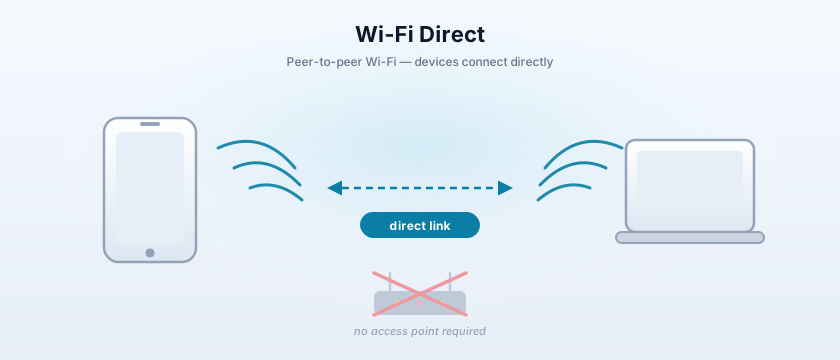
Both samples share the same pairing model: a pairing procedure (ppInvitation or
ppGroupOwnerNegotiation), a group owner intent, and a set of configuration methods
(cmDisplayPin, cmProvidePin, cmPushButton). The code in this article is taken
verbatim from the samples.
Advertiser                                   Client
──────────                                   ──────
Start() ──► OnStarted
                                             Discover() ──► OnDiscoveringStarted
OnAcceptDevice ◄── incoming device                        ◄── OnDeviceFound
OnDeviceConnected ──► result                 Connect(Id) ──► OnDeviceConnected
                                             Disconnect() ──► OnDeviceDisconnected
Stop() ──► OnStopped                         Terminate()
Related topics: WLAN XML profiles for the infrastructure side of Wi-Fi, Wi-Fi Framework product overview, and Event processing.
The three Wi-Fi Direct classes
The framework represents Wi-Fi Direct with three classes, one for each role an application can play:
wclWiFiDirectAdvertiser— advertises a Wi-Fi Direct group and accepts incoming connections. It exposesActive,Discoverability,AutonomousGroupOwnerEnabled,Count, an indexed accessor for connected devices, and theStartandStopmethods. Its events areOnStarted,OnStopped,OnAcceptDevice,OnDeviceConnected,OnDeviceDisconnected, and the pairing events described below.wclWiFiDirectDeviceWatcher— discovers nearby Wi-Fi Direct devices and manages paired devices. It exposesDiscover,Terminate,IsPaired,Unpair, andEnumPairedDevices. Its events areOnDeviceFound,OnDiscoveringStarted, andOnDiscoveringCompleted.wclWiFiDirectClient— connects to a discovered device. It exposesConnect(Id),Disconnect,LocalAddress, andRemoteAddress. Its events areOnDeviceConnected,OnDeviceDisconnected, and the pairing events.
Each connected or discovered device is represented by a device object that exposes Id, Name,
LocalAddress, and RemoteAddress. In Delphi and C++ Builder the class is
TwclWiFiDirectDevice; in C# and VB.NET it is wclWiFiDirectDevice; in MFC it is
CwclWiFiDirectDevice.
Pairing events
The pairing events are identical on the advertiser and the client. They let the application choose the pairing procedure, the group owner intent, the configuration methods, and how to display or collect the PIN:
| Event | Parameters | Purpose |
|---|---|---|
OnPairGetParams |
GroupOwnerIntent: Smallint, ConfigurationMethods, PairingProcedure |
Supplies the pairing procedure, group owner intent, and configuration methods for the pairing. |
OnPairDisplayPin |
Pin: String |
Called when a PIN must be shown to the user. |
OnPairProvidePin |
Pin: String |
Called when the user must enter a PIN. |
OnPairConfirm |
Confirm: Boolean |
Asks the user to confirm the pairing. |
OnPairCompleted |
Result: Integer |
Reports the pairing result. |
The Advertiser example
What the example does
The form hosts a wclWiFiDirectAdvertiser component and the following controls: a
cbDiscoverability combo box with items Intensive, None, and Normal; an cbAutonomousGroupOwner
check box; a cbPairingProcedure combo box with items ppInvitation and ppGroupOwnerNegotiation; an
edGroupOwnerIntent edit; the cbDisplayPin, cbProvidePin, and
cbPushButton check boxes; a lvDevices list view; and a lbLog list box. The
buttons are btStart, btStop, btClear, and btDisconnect.
The advertising side of the example reacts to OnStarted, OnStopped, OnAcceptDevice,
OnDeviceConnected, OnDeviceDisconnected, and the pairing events. On form destroy the sample
stops the advertiser.
Starting and stopping
btStart checks Active first, then sets Discoverability and
AutonomousGroupOwnerEnabled from the UI, and calls Start. btStop calls
Stop. Both handlers check the returned error code against WCL_E_SUCCESS.
procedure TfmMain.btStartClick(Sender: TObject);
var
  Res: Integer;
begin
  if wclWiFiDirectAdvertiser.Active then
    MessageDlg('Already running', mtWarning, [mbOK], 0)

  else begin
    case cbDiscoverability.ItemIndex of
      0: wclWiFiDirectAdvertiser.Discoverability := adIntensive;
      1: wclWiFiDirectAdvertiser.Discoverability := adNone;
      2: wclWiFiDirectAdvertiser.Discoverability := adNormal;
    end;
    wclWiFiDirectAdvertiser.AutonomousGroupOwnerEnabled := cbAutonomousGroupOwner.Checked;

    Res := wclWiFiDirectAdvertiser.Start;
    if Res <> WCL_E_SUCCESS then
      MessageDlg('Start error: 0x' + IntToHex(Res, 8), mtError, [mbOK], 0);
  end;
end;
void __fastcall TfmMain::btStartClick(TObject *Sender)
{
if (wclWiFiDirectAdvertiser->Active)
MessageDlg("Already running", mtWarning, TMsgDlgButtons() << mbOK, 0);
else
{
switch (cbDiscoverability->ItemIndex)
{
case 0:
wclWiFiDirectAdvertiser->Discoverability = adIntensive;
break;
case 1:
wclWiFiDirectAdvertiser->Discoverability = adNone;
break;
case 2:
wclWiFiDirectAdvertiser->Discoverability = adNormal;
break;
}
wclWiFiDirectAdvertiser->AutonomousGroupOwnerEnabled = cbAutonomousGroupOwner->Checked;
int Res = wclWiFiDirectAdvertiser->Start();
if (Res != WCL_E_SUCCESS)
MessageDlg("Start error: 0x" + IntToHex(Res, 8), mtError, TMsgDlgButtons() << mbOK, 0);
}
}private void btStart_Click(object sender, EventArgs e)
{
if (wclWiFiDirectAdvertiser.Active)
MessageBox.Show("Already running");
else
{
switch (cbDiscoverability.SelectedIndex)
{
case 0:
wclWiFiDirectAdvertiser.Discoverability = wclWiFiDirectAdvertisementDiscoverability.adIntensive;
break;
case 1:
wclWiFiDirectAdvertiser.Discoverability = wclWiFiDirectAdvertisementDiscoverability.adNone;
break;
case 2:
wclWiFiDirectAdvertiser.Discoverability = wclWiFiDirectAdvertisementDiscoverability.adNormal;
break;
}
wclWiFiDirectAdvertiser.AutonomousGroupOwnerEnabled = cbAutonomousGroupOwner.Checked;
Int32 Res = wclWiFiDirectAdvertiser.Start();
if (Res != wclErrors.WCL_E_SUCCESS)
MessageBox.Show("Start error: 0x" + Res.ToString("X8"));
}
}Private Sub btStart_Click(ByVal sender As System.Object, ByVal e As System.EventArgs) Handles btStart.Click
If wclWiFiDirectAdvertiser.Active Then
MessageBox.Show("Already running")
Else
Select Case cbDiscoverability.SelectedIndex
Case 0
wclWiFiDirectAdvertiser.Discoverability = wclWiFiDirectAdvertisementDiscoverability.adIntensive
Case 1
wclWiFiDirectAdvertiser.Discoverability = wclWiFiDirectAdvertisementDiscoverability.adNone
Case 2
wclWiFiDirectAdvertiser.Discoverability = wclWiFiDirectAdvertisementDiscoverability.adNormal
End Select
wclWiFiDirectAdvertiser.AutonomousGroupOwnerEnabled = cbAutonomousGroupOwner.Checked
Dim Res As Int32 = wclWiFiDirectAdvertiser.Start()
If Res <> wclErrors.WCL_E_SUCCESS Then
MessageBox.Show("Start error: 0x" + Res.ToString("X8"))
End If
End If
End Subvoid CWiFiDirectDlg::OnBnClickedButton1()
{
if (wclWiFiDirectAdvertiser.Active)
AfxMessageBox(_T("Already running"));
else
{
switch (cbDiscoverability.GetCurSel())
{
case 0:
wclWiFiDirectAdvertiser.Discoverability = adIntensive;
break;
case 1:
wclWiFiDirectAdvertiser.Discoverability = adNone;
break;
case 2:
wclWiFiDirectAdvertiser.Discoverability = adNormal;
break;
}
wclWiFiDirectAdvertiser.AutonomousGroupOwnerEnabled = (cbAutonomousGroupOwner.GetCheck() != FALSE);
int Res = wclWiFiDirectAdvertiser.Start();
if (Res != WCL_E_SUCCESS)
{
CString s;
s.Format(_T("Start error: 0x%.8X"), Res);
AfxMessageBox(s);
}
}
}Accepting devices
OnAcceptDevice is called when a remote device asks to connect. The handler sets the Accept
out parameter and, if the device is accepted, adds it to lvDevices with the device Id in the second column
and the status "Connecting" in the third. In Delphi and C++ Builder the Id and status are stored in
SubItems[0] and SubItems[1]; in the C#, VB.NET, and MFC samples they are stored in the second
and third columns (SubItems[1] and SubItems[2] in C# and VB.NET, columns 1 and 2 in MFC). This
reflects a different ListView column layout in those projects.
procedure TfmMain.wclWiFiDirectAdvertiserAcceptDevice(Sender: TObject;
  const Device: TwclWiFiDirectDevice; out Accept: Boolean);
var
  Item: TListItem;
begin
  lbLog.Items.Add('Accepting device ' + Device.Id);
  Accept := MessageDlg('Accept connection from ' + Device.Name + '?',
    mtConfirmation, [mbYes, mbNo], 0) = mrYes;
  if Accept then begin
    Item := lvDevices.Items.Add;
    Item.Caption := Device.Name;
    Item.SubItems.Add(Device.Id);
    Item.SubItems.Add('Connecting');
  end;
end;
void __fastcall TfmMain::wclWiFiDirectAdvertiserAcceptDevice(
TObject *Sender, const TwclWiFiDirectDevice *Device, bool& Accept)
{
Accept = MessageDlg("Accept connection from " + Device->Name + "?",
mtConfirmation, TMsgDlgButtons() << mbYes << mbNo, 0) == mrYes;
if (Accept)
{
TListItem* Item = lvDevices->Items->Add();
Item->Caption = Device->Name;
Item->SubItems->Add(Device->Id);
Item->SubItems->Add("Connecting");
}
}void wclWiFiDirectAdvertiser_OnAcceptDevice(object Sender, wclWiFiDirectDevice Device, out bool Accept)
{
lbLog.Items.Add("Accepting device " + Device.Id);
Accept = MessageBox.Show("Accept connection from " + Device.Name + "?", "Connection",
MessageBoxButtons.YesNo, MessageBoxIcon.Question) == DialogResult.Yes;
if (Accept)
{
ListViewItem Item = lvDevices.Items.Add(Device.Name);
Item.SubItems.Add(Device.Id);
Item.SubItems.Add("Connecting");
}
}Private Sub wclWiFiDirectAdvertiser_OnAcceptDevice(ByVal Sender As Object, ByVal Device As wclWiFi.wclWiFiDirectDevice, ByRef Accept As Boolean) Handles wclWiFiDirectAdvertiser.OnAcceptDevice
lbLog.Items.Add("Accepting device " + Device.Id)
Accept = MessageBox.Show("Accept connection from " + Device.Name + "?", "Connection", MessageBoxButtons.YesNo, MessageBoxIcon.Question) = DialogResult.Yes
If Accept Then
Dim Item As ListViewItem = lvDevices.Items.Add(Device.Name)
Item.SubItems.Add(Device.Id)
Item.SubItems.Add("Connecting")
End If
End Subvoid CWiFiDirectDlg::wclWiFiDirectAdvertiserAcceptDevice(void* Sender,
CwclWiFiDirectDevice* const Device, bool& Accept)
{
UNREFERENCED_PARAMETER(Sender);
tstring s = _T("Accept connection from ") + Device->Name + _T(" ?");
Accept = (AfxMessageBox(s.c_str(), MB_YESNO | MB_APPLMODAL | MB_ICONQUESTION) == IDYES);
if (Accept)
{
int i = lvDevices.GetItemCount();
lvDevices.InsertItem(i, Device->Name.c_str());
lvDevices.SetItemText(i, 1, Device->Id.c_str());
lvDevices.SetItemText(i, 2, _T("Connecting"));
}
}Connection result
OnDeviceConnected receives the device and the result of the connection attempt. On success the sample
marks the device as Connected and logs the local and remote IP addresses; on failure it logs the error code and removes
the device from the list. The device is located in the ListView by its Id.
procedure TfmMain.wclWiFiDirectAdvertiserDeviceConnected(Sender: TObject;
  const Device: TwclWiFiDirectDevice; const Error: Integer);
var
  Item: TListItem;
begin
  Item := GetItem(Device.Id);
  if Item <> nil then begin
    if Error = WCL_E_SUCCESS then begin
      Item.SubItems[1] := 'Connected';

      lbLog.Items.Add(Device.Name + ' connected');
      lbLog.Items.Add('  Local IP: ' + Device.LocalAddress);
      lbLog.Items.Add('  Remote IP: ' + Device.RemoteAddress);

    end else begin
      lbLog.Items.Add(Device.Name + ' connect error: 0x' + IntToHex(Error, 8));
      Item.Delete;
    end;
  end;
end;
void __fastcall TfmMain::wclWiFiDirectAdvertiserDeviceConnected(
TObject *Sender, const TwclWiFiDirectDevice *Device, const int Error)
{
TListItem* Item = GetItem(Device->Id);
if (Item != NULL)
{
if (Error == WCL_E_SUCCESS)
{
Item->SubItems->Strings[1] = "Connected";
lbLog->Items->Add(Device->Name + " connected");
lbLog->Items->Add(" Local IP: " + Device->LocalAddress);
lbLog->Items->Add(" Remote IP: " + Device->RemoteAddress);
}
else
{
lbLog->Items->Add(Device->Name + " connect error: 0x" + IntToHex(Error, 8));
Item->Delete();
}
}
}void wclWiFiDirectAdvertiser_OnDeviceConnected(object Sender, wclWiFiDirectDevice Device, int Error)
{
ListViewItem Item = GetItem(Device.Id);
if (Item != null)
{
if (Error == wclErrors.WCL_E_SUCCESS)
{
Item.SubItems[2].Text = "Connected";
lbLog.Items.Add(Device.Name + " connected");
lbLog.Items.Add(" Local IP: " + Device.LocalAddress);
lbLog.Items.Add(" Remote IP: " + Device.RemoteAddress);
}
else
{
lbLog.Items.Add(Device.Name + " connect error: 0x" + Error.ToString("X8"));
lvDevices.Items.Remove(Item);
}
}
}Private Sub wclWiFiDirectAdvertiser_OnDeviceConnected(ByVal Sender As Object, ByVal Device As wclWiFi.wclWiFiDirectDevice, ByVal [Error] As Integer) Handles wclWiFiDirectAdvertiser.OnDeviceConnected
Dim Item As ListViewItem = GetItem(Device.Id)
If Item IsNot Nothing Then
If [Error] = wclErrors.WCL_E_SUCCESS Then
Item.SubItems(2).Text = "Connected"
lbLog.Items.Add(Device.Name + " connected")
lbLog.Items.Add(" Local IP: " + Device.LocalAddress)
lbLog.Items.Add(" Remote IP: " + Device.RemoteAddress)
Else
lbLog.Items.Add(Device.Name + " connect error: 0x" + [Error].ToString("X8"))
lvDevices.Items.Remove(Item)
End If
End If
End Subvoid CWiFiDirectDlg::wclWiFiDirectAdvertiserDeviceConnected(void* Sender,
CwclWiFiDirectDevice* const Device, const int Error)
{
UNREFERENCED_PARAMETER(Sender);
int Item = GetItem(Device->Id);
if (Item != -1)
{
if (Error == WCL_E_SUCCESS)
{
lvDevices.SetItemText(Item, 2, _T("Connected"));
lbLog.AddString(CString(Device->Name.c_str()) + _T(" connected"));
lbLog.AddString(CString(_T(" Local IP: ")) + Device->LocalAddress.c_str());
lbLog.AddString(CString(_T(" Remote IP: ")) + Device->RemoteAddress.c_str());
}
else
{
CString s;
s.Format(_T(" connect error: 0x%.8X"), Error);
lbLog.AddString(Device->Name.c_str() + s);
lvDevices.DeleteItem(Item);
}
}
}Pairing parameters
OnPairGetParams supplies the pairing procedure, the group owner intent, and the configuration methods.
The sample reads the pairing procedure from cbPairingProcedure, the group owner intent from
edGroupOwnerIntent, and builds the ConfigurationMethods set from the three check boxes. The
C# and VB.NET handlers additionally include a default branch — default in C# and Case Else in
VB.NET — that selects ppGroupOwnerNegotiation.
procedure TfmMain.wclWiFiDirectAdvertiserPairGetParams(Sender: TObject;
  const Device: TwclWiFiDirectDevice; out GroupOwnerIntent: Smallint;
  out ConfigurationMethods: TwclWiFiDirectConfigurationMethods;
  out PairingProcedure: TwclWiFiDirectPairingProcedure);
begin
  lbLog.Items.Add(Device.Name + ' quering pairing params');

  case cbPairingProcedure.ItemIndex of
    0: PairingProcedure := ppInvitation;
    1: PairingProcedure := ppGroupOwnerNegotiation;
  end;
  GroupOwnerIntent := StrToInt(edGroupOwnerIntent.Text);
  ConfigurationMethods := [];
  if cbDisplayPin.Checked then
    ConfigurationMethods := ConfigurationMethods + [cmDisplayPin];
  if cbProvidePin.Checked then
    ConfigurationMethods := ConfigurationMethods + [cmProvidePin];
  if cbPushButton.Checked then
    ConfigurationMethods := ConfigurationMethods + [cmPushButton];
end;
void __fastcall TfmMain::wclWiFiDirectAdvertiserPairGetParams(
TObject *Sender, const TwclWiFiDirectDevice *Device,
short& GroupOwnerIntent,
TwclWiFiDirectConfigurationMethods& ConfigurationMethods,
TwclWiFiDirectPairingProcedure& PairingProcedure)
{
lbLog->Items->Add(Device->Name + " quering pairing params");
switch (cbPairingProcedure->ItemIndex)
{
case 0:
PairingProcedure = ppInvitation;
break;
case 1:
PairingProcedure = ppGroupOwnerNegotiation;
break;
}
GroupOwnerIntent = StrToInt(edGroupOwnerIntent->Text);
ConfigurationMethods.Clear();
if (cbDisplayPin->Checked)
ConfigurationMethods << cmDisplayPin;
if (cbProvidePin->Checked)
ConfigurationMethods << cmProvidePin;
if (cbPushButton->Checked)
ConfigurationMethods << cmPushButton;
}void wclWiFiDirectAdvertiser_OnPairGetParams(object Sender, wclWiFiDirectDevice Device, out short GroupOwnerIntent, out wclWiFiDirectConfigurationMethod ConfigurationMethods, out wclWiFiDirectPairingProcedure PairingProcedure)
{
lbLog.Items.Add(Device.Name + " quering pairing params");
switch (cbPairingProcedure.SelectedIndex)
{
case 0:
PairingProcedure = wclWiFiDirectPairingProcedure.ppInvitation;
break;
case 1:
PairingProcedure = wclWiFiDirectPairingProcedure.ppGroupOwnerNegotiation;
break;
default:
PairingProcedure = wclWiFiDirectPairingProcedure.ppGroupOwnerNegotiation;
break;
}
GroupOwnerIntent = Convert.ToInt16(edGroupOwnerIntent.Text);
ConfigurationMethods = 0;
if (cbDisplayPIN.Checked)
ConfigurationMethods |= wclWiFiDirectConfigurationMethod.cmDisplayPin;
if (cbProvidePIN.Checked)
ConfigurationMethods |= wclWiFiDirectConfigurationMethod.cmProvidePin;
if (cbPushButton.Checked)
ConfigurationMethods |= wclWiFiDirectConfigurationMethod.cmPushButton;
}Private Sub wclWiFiDirectAdvertiser_OnPairGetParams(ByVal Sender As Object, ByVal Device As wclWiFi.wclWiFiDirectDevice, ByRef GroupOwnerIntent As Short, ByRef ConfigurationMethods As wclWiFi.wclWiFiDirectConfigurationMethod, ByRef PairingProcedure As wclWiFi.wclWiFiDirectPairingProcedure) Handles wclWiFiDirectAdvertiser.OnPairGetParams
lbLog.Items.Add(Device.Name + " quering pairing params")
Select Case cbPairingProcedure.SelectedIndex
Case 0
PairingProcedure = wclWiFiDirectPairingProcedure.ppInvitation
Case 1
PairingProcedure = wclWiFiDirectPairingProcedure.ppGroupOwnerNegotiation
Case Else
PairingProcedure = wclWiFiDirectPairingProcedure.ppGroupOwnerNegotiation
End Select
GroupOwnerIntent = Convert.ToInt16(edGroupOwnerIntent.Text)
ConfigurationMethods = 0
If cbDisplayPIN.Checked Then
ConfigurationMethods = ConfigurationMethods Or wclWiFiDirectConfigurationMethod.cmDisplayPin
End If
If cbProvidePIN.Checked Then
ConfigurationMethods = ConfigurationMethods Or wclWiFiDirectConfigurationMethod.cmProvidePin
End If
If cbPushButton.Checked Then
ConfigurationMethods = ConfigurationMethods Or wclWiFiDirectConfigurationMethod.cmPushButton
End If
End Subvoid CWiFiDirectDlg::wclWiFiDirectAdvertiserPairGetParams(void* Sender,
CwclWiFiDirectDevice* const Device, short& GroupOwnerIntent,
wclWiFiDirectConfigurationMethods& ConfigurationMethods,
wclWiFiDirectPairingProcedure& PairingProcedure)
{
UNREFERENCED_PARAMETER(Sender);
lbLog.AddString(Device->Name.c_str() + CString(_T(" quering pairing params")));
if (cbPairingProcedure.GetCurSel() == 0)
PairingProcedure = ppInvitation;
else
PairingProcedure = ppGroupOwnerNegotiation;
CString s;
edGroupOwnerIntent.GetWindowText(s);
GroupOwnerIntent = LOWORD(_ttoi(s));
ConfigurationMethods.clear();
if (cbDisplayPin.GetCheck())
ConfigurationMethods.insert(cmDisplayPin);
if (cbProvidePin.GetCheck())
ConfigurationMethods.insert(cmProvidePin);
if (cbPushButton.GetCheck())
ConfigurationMethods.insert(cmPushButton);
}The remaining pairing handlers follow the same shape in both samples. OnPairDisplayPin shows the PIN to
the user, OnPairProvidePin asks the user to enter a PIN, OnPairConfirm asks for confirmation,
and OnPairCompleted logs the result. In the MFC samples the PIN is collected through a dedicated dialog:
CInputDlg in the Advertiser and CPinDlg in the Client. In the other samples it is collected
through InputQuery, InputBox, or Microsoft.VisualBasic.Interaction.InputBox.
The Client example
What the example does
The form hosts a wclWiFiDirectDeviceWatcher and a wclWiFiDirectClient, together with the
same pairing controls as the advertiser: cbPairingProcedure, edGroupOwnerIntent,
cbDisplayPin, cbProvidePin, and cbPushButton. The buttons are
btDiscover, btTerminate, btClear, btConnect, btDisconnect,
btIsPaired, btUnpair, and btEnumPaired.
The client side reacts to OnDeviceFound, OnDiscoveringStarted, OnDiscoveringCompleted,
OnDeviceConnected, OnDeviceDisconnected, and the same pairing events. On form close the sample
calls Client.Disconnect and Watcher.Terminate.
Discovering devices
btDiscover calls Discover on the watcher. btTerminate calls Terminate.
Each discovered device is delivered through OnDeviceFound, which adds a row to lvDevices with the
device name in the first column and the device Id in the second. OnDiscoveringStarted clears the ListView
before a new discovery run; OnDiscoveringCompleted logs the result.
procedure TfmMain.btDiscoverClick(Sender: TObject);
var
  Res: Integer;
begin
  Res := wclWiFiDirectDeviceWatcher.Discover;
  if Res <> WCL_E_SUCCESS then
    MessageDlg('Discover error: 0x' + IntToHex(Res, 8), mtError, [mbOK], 0);
end;

procedure TfmMain.wclWiFiDirectDeviceWatcherDeviceFound(Sender: TObject;
  const Id: string; const Name: string);
var
  Item: TListItem;
begin
  Item := lvDevices.Items.Add;
  Item.Caption := Name;
  Item.SubItems.Add(Id);

  lbLog.Items.Add('Device found');
end;
void __fastcall TfmMain::btDiscoverClick(TObject *Sender)
{
int Res = wclWiFiDirectDeviceWatcher->Discover();
if (Res != WCL_E_SUCCESS)
MessageDlg("Discover error: 0x" + IntToHex(Res, 8), mtError, TMsgDlgButtons() << mbOK, 0);
}
void __fastcall TfmMain::wclWiFiDirectDeviceWatcherDeviceFound(
TObject *Sender, const String Id, const String Name)
{
TListItem* Item = lvDevices->Items->Add();
Item->Caption = Name;
Item->SubItems->Add(Id);
lbLog->Items->Add("Device found");
}private void btDiscover_Click(object sender, EventArgs e)
{
Int32 Res = Watcher.Discover();
if (Res != wclErrors.WCL_E_SUCCESS)
MessageBox.Show("Discover error: 0x" + Res.ToString("X8"));
}
void Watcher_OnDeviceFound(object Sender, string Id, string Name)
{
ListViewItem Item = lvDevices.Items.Add(Name);
Item.SubItems.Add(Id);
lbLog.Items.Add("Device found");
}Private Sub btDiscover_Click(ByVal sender As System.Object, ByVal e As System.EventArgs) Handles btDiscover.Click
Dim Res As Int32 = Watcher.Discover()
If Res <> wclErrors.WCL_E_SUCCESS Then
MessageBox.Show("Discover error: 0x" + Res.ToString("X8"))
End If
End Sub
Private Sub Watcher_OnDeviceFound(ByVal Sender As Object, ByVal Id As String, ByVal Name As String) Handles Watcher.OnDeviceFound
Dim Item As ListViewItem = lvDevices.Items.Add(Name)
Item.SubItems.Add(Id)
lbLog.Items.Add("Device found")
End Subvoid CWiFiDirectClientDlg::OnBnClickedButtonDiscover()
{
int Res = Watcher.Discover();
if (Res != WCL_E_SUCCESS)
{
CString s;
s.Format(_T("Discover error: 0x%.8X"), Res);
AfxMessageBox(s);
}
}
void CWiFiDirectClientDlg::wclWiFiDirectDeviceWatcherDeviceFound(void* Sender,
const tstring& Id, const tstring& Name)
{
UNREFERENCED_PARAMETER(Sender);
int n = lvDevices.GetItemCount();
lvDevices.InsertItem(n, Name.c_str());
lvDevices.SetItemText(n, 1, Id.c_str());
lbLog.AddString(_T("Device found"));
}Connecting
btConnect requires a selected row. It takes the device Id from the second column and passes it to
Connect. The result of the connection attempt is delivered through OnDeviceConnected, which logs
the result and, on success, the LocalAddress and RemoteAddress of the client.
procedure TfmMain.btConnectClick(Sender: TObject);
var
  Res: Integer;
begin
  if lvDevices.Selected = nil then
    MessageDlg('Select device', mtWarning, [mbOK], 0)

  else begin
    Res := wclWiFiDirectClient.Connect(lvDevices.Selected.SubItems[0]);
    if Res <> WCL_E_SUCCESS then
      MessageDlg('Connect Error: 0x' + IntToHex(Res, 8), mtError, [mbOK], 0);
  end;
end;

procedure TfmMain.wclWiFiDirectClientDeviceConnected(Sender: TObject;
  const Device: TwclWiFiDirectDevice; const Error: Integer);
begin
  lbLog.Items.Add('Connected with result: 0x' + IntToHex(Error, 8));
  if Error = WCL_E_SUCCESS then begin
    lbLog.Items.Add('  Local IP: ' + wclWiFiDirectClient.LocalAddress);
    lbLog.Items.Add('  Remote IP: ' + wclWiFiDirectClient.RemoteAddress);
  end;
end;
void __fastcall TfmMain::btConnectClick(TObject *Sender)
{
if (lvDevices->Selected == NULL)
MessageDlg("Select device", mtWarning, TMsgDlgButtons() << mbOK, 0);
else
{
int Res = wclWiFiDirectClient->Connect(lvDevices->Selected->SubItems->Strings[0]);
if (Res != WCL_E_SUCCESS)
MessageDlg("Connect Error: 0x" + IntToHex(Res, 8), mtError, TMsgDlgButtons() << mbOK, 0);
}
}
void __fastcall TfmMain::wclWiFiDirectClientDeviceConnected(
TObject *Sender, const TwclWiFiDirectDevice *Device, const int Error)
{
lbLog->Items->Add("Connected with result: 0x" + IntToHex(Error, 8));
if (Error == WCL_E_SUCCESS)
{
lbLog->Items->Add(" Local IP: " + wclWiFiDirectClient->LocalAddress);
lbLog->Items->Add(" Remote IP: " + wclWiFiDirectClient->RemoteAddress);
}
}private void btConnect_Click(object sender, EventArgs e)
{
if (lvDevices.SelectedItems.Count == 0)
MessageBox.Show("Select device");
else
{
Int32 Res = Client.Connect(lvDevices.SelectedItems[0].SubItems[1].Text);
if (Res != wclErrors.WCL_E_SUCCESS)
MessageBox.Show("Connect Error: 0x" + Res.ToString("X8"));
}
}
void Client_OnDeviceConnected(object Sender, wclWiFiDirectDevice Device, int Error)
{
lbLog.Items.Add("Connected with result: 0x" + Error.ToString("X8"));
if (Error == wclErrors.WCL_E_SUCCESS)
{
lbLog.Items.Add(" Local IP: " + Client.LocalAddress);
lbLog.Items.Add(" Remote IP: " + Client.RemoteAddress);
}
}Private Sub btConnect_Click(ByVal sender As System.Object, ByVal e As System.EventArgs) Handles btConnect.Click
If lvDevices.SelectedItems.Count = 0 Then
MessageBox.Show("Select device")
Else
Dim Res As Int32 = Client.Connect(lvDevices.SelectedItems(0).SubItems(1).Text)
If Res <> wclErrors.WCL_E_SUCCESS Then
MessageBox.Show("Connect Error: 0x" + Res.ToString("X8"))
End If
End If
End Sub
Private Sub Client_OnDeviceConnected(ByVal Sender As Object, ByVal Device As wclWiFi.wclWiFiDirectDevice, ByVal [Error] As Integer) Handles Client.OnDeviceConnected
lbLog.Items.Add("Connected with result: 0x" + [Error].ToString("X8"))
If [Error] = wclErrors.WCL_E_SUCCESS Then
lbLog.Items.Add(" Local IP: " + Client.LocalAddress)
lbLog.Items.Add(" Remote IP: " + Client.RemoteAddress)
End If
End Subvoid CWiFiDirectClientDlg::OnBnClickedButtonConnect()
{
POSITION Pos = lvDevices.GetFirstSelectedItemPosition();
if (Pos == NULL)
AfxMessageBox(_T("Select device"));
else
{
CString Id = lvDevices.GetItemText(lvDevices.GetNextSelectedItem(Pos), 1);
int Res = Client.Connect(tstring(Id));
if (Res != WCL_E_SUCCESS)
{
CString s;
s.Format(_T("Connect Error: 0x%.8X"), Res);
AfxMessageBox(s);
}
}
}
void CWiFiDirectClientDlg::wclWiFiDirectClientDeviceConnected(void* Sender,
CwclWiFiDirectDevice* const Device, const int Error)
{
UNREFERENCED_PARAMETER(Sender);
UNREFERENCED_PARAMETER(Device);
CString s;
s.Format(_T("Connected with result: 0x%.8X"), Error);
lbLog.AddString(s);
if (Error == WCL_E_SUCCESS)
{
lbLog.AddString(_T(" Local IP: ") + CString(Client.LocalAddress.c_str()));
lbLog.AddString(_T(" Remote IP: ") + CString(Client.RemoteAddress.c_str()));
}
}Disconnecting
btDisconnect calls Disconnect on the client. The disconnect is reported back through
OnDeviceDisconnected, which logs the reason code. In the advertiser, the equivalent action is
btDisconnect, which finds the selected device by Id among the advertiser's devices and calls
Disconnect on that device.
Pairing parameters
The client exposes the same pairing configuration as the advertiser: OnPairGetParams reads the pairing
procedure from cbPairingProcedure, the group owner intent from edGroupOwnerIntent, and the
configuration methods from the three check boxes. In the client sample there is no default branch: when
cbPairingProcedure.SelectedIndex is 0, the handler selects ppInvitation; otherwise it selects
ppGroupOwnerNegotiation.
procedure TfmMain.wclWiFiDirectClientPairGetParams(Sender: TObject;
  const Device: TwclWiFiDirectDevice; out GroupOwnerIntent: Smallint;
  out ConfigurationMethods: TwclWiFiDirectConfigurationMethods;
  out PairingProcedure: TwclWiFiDirectPairingProcedure);
begin
  GroupOwnerIntent := StrToInt(edGroupOwnerIntent.Text);

  ConfigurationMethods := [];
  if cbDisplayPin.Checked then
    ConfigurationMethods := ConfigurationMethods + [cmDisplayPin];
  if cbProvidePin.Checked then
    ConfigurationMethods := ConfigurationMethods + [cmProvidePin];
  if cbPushButton.Checked then
    ConfigurationMethods := ConfigurationMethods + [cmPushButton];

  if cbPairingProcedure.ItemIndex = 0 then
    PairingProcedure := ppInvitation
  else
    PairingProcedure := ppGroupOwnerNegotiation;
end;
void __fastcall TfmMain::wclWiFiDirectClientPairGetParams(TObject *Sender,
const TwclWiFiDirectDevice *Device, short& GroupOwnerIntent,
TwclWiFiDirectConfigurationMethods& ConfigurationMethods,
TwclWiFiDirectPairingProcedure& PairingProcedure)
{
GroupOwnerIntent = StrToInt(edGroupOwnerIntent->Text);
ConfigurationMethods.Clear();
if (cbDisplayPin->Checked)
ConfigurationMethods << cmDisplayPin;
if (cbProvidePin->Checked)
ConfigurationMethods << cmProvidePin;
if (cbPushButton->Checked)
ConfigurationMethods << cmPushButton;
if (cbPairingProcedure->ItemIndex == 0)
PairingProcedure = ppInvitation;
else
PairingProcedure = ppGroupOwnerNegotiation;
}void Client_OnPairGetParams(object Sender, wclWiFiDirectDevice Device, out short GroupOwnerIntent,
out wclWiFiDirectConfigurationMethod ConfigurationMethods, out wclWiFiDirectPairingProcedure PairingProcedure)
{
GroupOwnerIntent = Convert.ToInt16(edGroupOwnerIntent.Text);
ConfigurationMethods = 0;
if (cbDisplayPIN.Checked)
ConfigurationMethods |= wclWiFiDirectConfigurationMethod.cmDisplayPin;
if (cbProvidePIN.Checked)
ConfigurationMethods |= wclWiFiDirectConfigurationMethod.cmProvidePin;
if (cbPushButton.Checked)
ConfigurationMethods |= wclWiFiDirectConfigurationMethod.cmPushButton;
if (cbPairingProcedure.SelectedIndex == 0)
PairingProcedure = wclWiFiDirectPairingProcedure.ppInvitation;
else
PairingProcedure = wclWiFiDirectPairingProcedure.ppGroupOwnerNegotiation;
}Private Sub Client_OnPairGetParams(ByVal Sender As Object, ByVal Device As wclWiFi.wclWiFiDirectDevice, ByRef GroupOwnerIntent As Short, ByRef ConfigurationMethods As wclWiFi.wclWiFiDirectConfigurationMethod, ByRef PairingProcedure As wclWiFi.wclWiFiDirectPairingProcedure) Handles Client.OnPairGetParams
GroupOwnerIntent = Convert.ToInt16(edGroupOwnerIntent.Text)
ConfigurationMethods = 0
If cbDisplayPIN.Checked Then
ConfigurationMethods = ConfigurationMethods Or wclWiFiDirectConfigurationMethod.cmDisplayPin
End If
If cbProvidePIN.Checked Then
ConfigurationMethods = ConfigurationMethods Or wclWiFiDirectConfigurationMethod.cmProvidePin
End If
If cbPushButton.Checked Then
ConfigurationMethods = ConfigurationMethods Or wclWiFiDirectConfigurationMethod.cmPushButton
End If
If cbPairingProcedure.SelectedIndex = 0 Then
PairingProcedure = wclWiFiDirectPairingProcedure.ppInvitation
Else
PairingProcedure = wclWiFiDirectPairingProcedure.ppGroupOwnerNegotiation
End If
End Subvoid CWiFiDirectClientDlg::wclWiFiDirectClientPairGetParams(void* Sender,
CwclWiFiDirectDevice* Device, short& GroupOwnerIntent,
wclWiFiDirectConfigurationMethods& ConfigurationMethods,
wclWiFiDirectPairingProcedure& PairingProcedure)
{
UNREFERENCED_PARAMETER(Sender);
lbLog.AddString(Device->Name.c_str() + CString(_T(" quering pairing params")));
if (cbPairingProcedure.GetCurSel() == 0)
PairingProcedure = ppInvitation;
else
PairingProcedure = ppGroupOwnerNegotiation;
CString s;
edGroupOwnerIntent.GetWindowText(s);
GroupOwnerIntent = LOWORD(_ttoi(s));
ConfigurationMethods.clear();
if (cbDisplayPin.GetCheck())
ConfigurationMethods.insert(cmDisplayPin);
if (cbProvidePin.GetCheck())
ConfigurationMethods.insert(cmProvidePin);
if (cbPushButton.GetCheck())
ConfigurationMethods.insert(cmPushButton);
}Paired device management
The watcher exposes three paired-device operations: IsPaired returns whether a device with the given
Id is paired; Unpair removes the pairing; EnumPairedDevices fills a container with the Ids of
all paired devices. The sample binds these to btIsPaired, btUnpair, and
btEnumPaired. In C#, VB.NET, and the C++ sample the container type is language-specific
(List<String>, List(Of String), and WCL_WFD_DEVICES); in Delphi and C++
Builder it is a TStringList.
procedure TfmMain.btIsPairedClick(Sender: TObject);
var
  Res: Integer;
  IsPaired: Boolean;
begin
  if lvDevices.Selected = nil then
    MessageDlg('Select device', mtWarning, [mbOK], 0)
  else begin
    Res := wclWiFiDirectDeviceWatcher.IsPaired(lvDevices.Selected.SubItems[0],
      IsPaired);
    if Res <> WCL_E_SUCCESS then
      ShowMessage('Get paired error: 0x' + IntToHex(Res, 8))
    else begin
      if IsPaired then
        ShowMessage('Device is paired')
      else
        ShowMessage('Device is NOT paired');
    end;
  end;
end;

procedure TfmMain.btUnpairClick(Sender: TObject);
var
  Res: Integer;
begin
  if lvDevices.Selected = nil then
    MessageDlg('Select device', mtWarning, [mbOK], 0)
  else begin
    Res := wclWiFiDirectDeviceWatcher.Unpair(lvDevices.Selected.SubItems[0]);
    if Res <> WCL_E_SUCCESS then
      ShowMessage('Unpair error: 0x' + IntToHex(Res, 8))
    else
      ShowMessage('Unpaired');
  end;
end;

procedure TfmMain.btEnumPairedClick(Sender: TObject);
var
  Paired: TStringList;
  Res: Integer;
  i: Integer;
  Item: TListItem;
begin
  Paired := TStringList.Create;
  Res := wclWiFiDirectDeviceWatcher.EnumPairedDevices(Paired);
  if Res <> WCL_E_SUCCESS then
    ShowMessage('Enum paired error: 0x' + IntToHex(Res, 8))

  else begin
    lvDevices.Items.Clear;

    if Paired.Count > 0 then begin
      for i := 0 to Paired.Count - 1 do begin
        Item := lvDevices.Items.Add;
        Item.Caption := '';
        Item.SubItems.Add(Paired[i]);
      end;
    end;
  end;
  Paired.Free;
end;
void __fastcall TfmMain::btIsPairedClick(TObject *Sender)
{
if (lvDevices->Selected == NULL)
MessageDlg("Select device", mtWarning, TMsgDlgButtons() << mbOK, 0);
else
{
bool IsPaired;
int Res = wclWiFiDirectDeviceWatcher->IsPaired(
lvDevices->Selected->SubItems->Strings[0], IsPaired);
if (Res != WCL_E_SUCCESS)
ShowMessage("Get paired error: 0x" + IntToHex(Res, 8));
else
{
if (IsPaired)
ShowMessage("Device is paired");
else
ShowMessage("Device is NOT paired");
}
}
}
void __fastcall TfmMain::btUnpairClick(TObject *Sender)
{
if (lvDevices->Selected == NULL)
MessageDlg("Select device", mtWarning, TMsgDlgButtons() << mbOK, 0);
else
{
int Res = wclWiFiDirectDeviceWatcher->Unpair(
lvDevices->Selected->SubItems->Strings[0]);
if (Res != WCL_E_SUCCESS)
ShowMessage("Unpair error: 0x" + IntToHex(Res, 8));
else
ShowMessage("Unpaired");
}
}
void __fastcall TfmMain::btEnumPairedClick(TObject *Sender)
{
TStringList* Paired = new TStringList();
int Res = wclWiFiDirectDeviceWatcher->EnumPairedDevices(Paired);
if (Res != WCL_E_SUCCESS)
ShowMessage("Enum paired error: 0x" + IntToHex(Res, 8));
else
{
lvDevices->Items->Clear();
if (Paired->Count > 0)
{
for (int i = 0; i < Paired->Count; i++)
{
TListItem* Item = lvDevices->Items->Add();
Item->Caption = "";
Item->SubItems->Add(Paired->Strings[i]);
}
}
}
Paired->Free();
}private void btIsPaired_Click(object sender, EventArgs e)
{
if (lvDevices.SelectedItems.Count == 0)
MessageBox.Show("Select device");
else
{
Boolean IsPaired;
Int32 Res = Watcher.IsPaired(lvDevices.SelectedItems[0].SubItems[1].Text, out IsPaired);
if (Res != wclErrors.WCL_E_SUCCESS)
MessageBox.Show("Get paired error: 0x" + Res.ToString("X8"));
else
{
if (IsPaired)
MessageBox.Show("Device is paired");
else
MessageBox.Show("Device is NOT paired");
}
}
}
private void btUnpair_Click(object sender, EventArgs e)
{
if (lvDevices.SelectedItems.Count == 0)
MessageBox.Show("Select device");
else
{
Int32 Res = Watcher.Unpair(lvDevices.SelectedItems[0].SubItems[1].Text);
if (Res != wclErrors.WCL_E_SUCCESS)
MessageBox.Show("Unpair error: 0x" + Res.ToString("X8"));
else
MessageBox.Show("Unpaired");
}
}
private void btEnumPaired_Click(object sender, EventArgs e)
{
List<String> Paired = new List<String>();
Int32 Res = Watcher.EnumPairedDevices(Paired);
if (Res != wclErrors.WCL_E_SUCCESS)
MessageBox.Show("Enum paired error: 0x" + Res.ToString("X8"));
else
{
lvDevices.Items.Clear();
if (Paired.Count > 0)
{
foreach (String Id in Paired)
{
ListViewItem Item = lvDevices.Items.Add("");
Item.SubItems.Add(Id);
}
}
}
}Private Sub btIsPaired_Click(sender As System.Object, e As System.EventArgs) Handles btIsPaired.Click
If lvDevices.SelectedItems.Count = 0 Then
MessageBox.Show("Select device")
Else
Dim IsPaired As Boolean = False
Dim Res As Integer = Watcher.IsPaired(lvDevices.SelectedItems(0).SubItems(1).Text, IsPaired)
If Res <> wclErrors.WCL_E_SUCCESS Then
MessageBox.Show("Get paired error: 0x" + Res.ToString("X8"))
Else
If IsPaired Then
MessageBox.Show("Device is paired")
Else
MessageBox.Show("Device is NOT paired")
End If
End If
End If
End Sub
Private Sub btUnpair_Click(sender As System.Object, e As System.EventArgs) Handles btUnpair.Click
If lvDevices.SelectedItems.Count = 0 Then
MessageBox.Show("Select device")
Else
Dim Res As Integer = Watcher.Unpair(lvDevices.SelectedItems(0).SubItems(1).Text)
If Res <> wclErrors.WCL_E_SUCCESS Then
MessageBox.Show("Unpair error: 0x" + Res.ToString("X8"))
Else
MessageBox.Show("Unpaired")
End If
End If
End Sub
Private Sub btEnumPaired_Click(sender As System.Object, e As System.EventArgs) Handles btEnumPaired.Click
Dim Paired As List(Of String) = New List(Of String)()
Dim Res As Int32 = Watcher.EnumPairedDevices(Paired)
If Res <> wclErrors.WCL_E_SUCCESS Then
MessageBox.Show("Enum paired error: 0x" + Res.ToString("X8"))
Else
lvDevices.Items.Clear()
If Paired.Count > 0 Then
For Each Id As String In Paired
Dim Item As ListViewItem = lvDevices.Items.Add("")
Item.SubItems.Add(Id)
Next
End If
End If
End Subvoid CWiFiDirectClientDlg::OnBnClickedButtonIsPaired()
{
POSITION Pos = lvDevices.GetFirstSelectedItemPosition();
if (Pos == NULL)
AfxMessageBox(_T("Select device"));
else
{
CString Id = lvDevices.GetItemText(lvDevices.GetNextSelectedItem(Pos), 1);
bool IsPaired;
int Res = Watcher.IsPaired(tstring(Id), IsPaired);
if (Res != WCL_E_SUCCESS)
{
CString s;
s.Format(_T("Get paired error: 0x%.8X"), Res);
AfxMessageBox(s);
}
else
{
if (IsPaired)
AfxMessageBox(_T("Device is paired"));
else
AfxMessageBox(_T("Device is NOT paired"));
}
}
}
void CWiFiDirectClientDlg::OnBnClickedButtonUnpair()
{
POSITION Pos = lvDevices.GetFirstSelectedItemPosition();
if (Pos == NULL)
AfxMessageBox(_T("Select device"));
else
{
CString Id = lvDevices.GetItemText(lvDevices.GetNextSelectedItem(Pos), 1);
int Res = Watcher.Unpair(tstring(Id));
if (Res != WCL_E_SUCCESS)
{
CString s;
s.Format(_T("Unpair error: 0x%.8X"), Res);
AfxMessageBox(s);
}
else
AfxMessageBox(_T("Unpaired"));
}
}
void CWiFiDirectClientDlg::OnBnClickedButtonEnumPaired()
{
WCL_WFD_DEVICES Paired;
int Res = Watcher.EnumPairedDevices(&Paired);
if (Res != WCL_E_SUCCESS)
{
CString s;
s.Format(_T("Enum paired error: 0x%.8X"), Res);
AfxMessageBox(s);
}
else
{
lvDevices.DeleteAllItems();
if (Paired.size() > 0)
{
for (WCL_WFD_DEVICES::iterator i = Paired.begin(); i != Paired.end(); i++)
{
int n = lvDevices.GetItemCount();
lvDevices.InsertItem(n, _T(""));
lvDevices.SetItemText(n, 1, (*i).c_str());
}
}
}
}Enumerations
Three enumerations appear throughout both samples:
| Enumeration | Values | Used by |
|---|---|---|
TwclWiFiDirectAdvertisementDiscoverabilitywclWiFiDirectAdvertisementDiscoverability |
adIntensive, adNone, adNormal |
Discoverability on the advertiser |
TwclWiFiDirectConfigurationMethodswclWiFiDirectConfigurationMethod |
cmDisplayPin, cmProvidePin, cmPushButton |
ConfigurationMethods in OnPairGetParams |
TwclWiFiDirectPairingProcedurewclWiFiDirectPairingProcedure |
ppInvitation, ppGroupOwnerNegotiation |
PairingProcedure in OnPairGetParams |
In Delphi and C++ Builder, TwclWiFiDirectConfigurationMethods is a set, so the handlers assign an
empty set and add members with + [cmDisplayPin]. In C#, VB.NET, and C++ the same type is a bit mask:
ConfigurationMethods |= ... in C#, Or in VB.NET, and << on a
std::set-like container in C++.
Typical workflow
Pulling the two samples together, a complete Wi-Fi Direct session looks like this:
- Advertiser: set
DiscoverabilityandAutonomousGroupOwnerEnabled, then callStart.OnStartedconfirms the advertiser is running. - Client: call
Discover.OnDiscoveringStartedfires, then oneOnDeviceFoundper discovered device. CallTerminateto stop discovery. - Client: take the Id of a discovered device and call
Connect(Id). - Advertiser:
OnAcceptDeviceasks whether to accept the incoming device. If accepted, the device is added to the list with the status "Connecting". - Both sides: the pairing events fire in order.
OnPairGetParamssupplies the pairing procedure, group owner intent, and configuration methods;OnPairDisplayPinorOnPairProvidePinhandles the PIN;OnPairConfirmconfirms the pairing;OnPairCompletedreports the result. - Both sides:
OnDeviceConnectedreports the connection result and, on success, the local and remote IP addresses. On the client, the addresses are read from the client; on the advertiser, from the device object. - Advertiser: call
Disconnecton a specific device to drop the connection, orStopto stop the advertiser entirely. - Client: call
Disconnectto end the connection. UseIsPaired,Unpair, andEnumPairedDevicesto inspect and manage the paired-device list. - Cleanup: the samples call
Stop,Disconnect, andTerminateon form destroy or form close.
All actions that operate on a device — Connect, Disconnect (advertiser), IsPaired,
Unpair — first check that a row is selected in lvDevices. If nothing is selected, the sample
shows a "Select device" message and returns without making the API call.
Frequently asked questions
- What is wclWiFiDirectAdvertiser?
wclWiFiDirectAdvertiseris the Wi-Fi Framework class that advertises a Wi-Fi Direct group and accepts incoming connections. It exposesActive,Discoverability,AutonomousGroupOwnerEnabled,Count, and an indexed accessor for connected devices, together withStart,Stop, and theOnStarted,OnStopped,OnAcceptDevice,OnDeviceConnected,OnDeviceDisconnected, and pairing events.- What is wclWiFiDirectDeviceWatcher?
wclWiFiDirectDeviceWatcheris the Wi-Fi Framework class that discovers nearby Wi-Fi Direct devices and manages paired devices. It exposesDiscoverandTerminate,IsPaired,Unpair, andEnumPairedDevices, and theOnDeviceFound,OnDiscoveringStarted, andOnDiscoveringCompletedevents.- What is wclWiFiDirectClient?
wclWiFiDirectClientis the Wi-Fi Framework class that connects to a discovered Wi-Fi Direct device. It exposesConnect(Id)andDisconnect, theLocalAddressandRemoteAddressproperties, and theOnDeviceConnected,OnDeviceDisconnected, and pairing events.- What are ppInvitation and ppGroupOwnerNegotiation?
- They are the two values of the
TwclWiFiDirectPairingProcedureenumeration exposed by the pairing events.ppInvitationselects invitation-based pairing, andppGroupOwnerNegotiationselects group owner negotiation. Both samples expose the choice through a combo box and pass it back from theOnPairGetParamshandler. - How do I enumerate paired devices?
- Call
wclWiFiDirectDeviceWatcher.EnumPairedDevices, passing aTStringListin Delphi, aList<String>in C#, aList(Of String)in VB.NET, or aWCL_WFD_DEVICEScontainer in C++. The method returnsWCL_E_SUCCESSon success and fills the container with the device Ids. The WiFiDirectClient sample clears the ListView and populates it with the returned Ids.